Only certain Wii models kept the hardware needed for GameCube compatibility
Yes, but only on specific Wii models, and Nintendo quietly removed the required hardware partway through the console’s production run. If you’re digging out an old GameCube library, checking your exact Wii model first saves a lot of frustration.
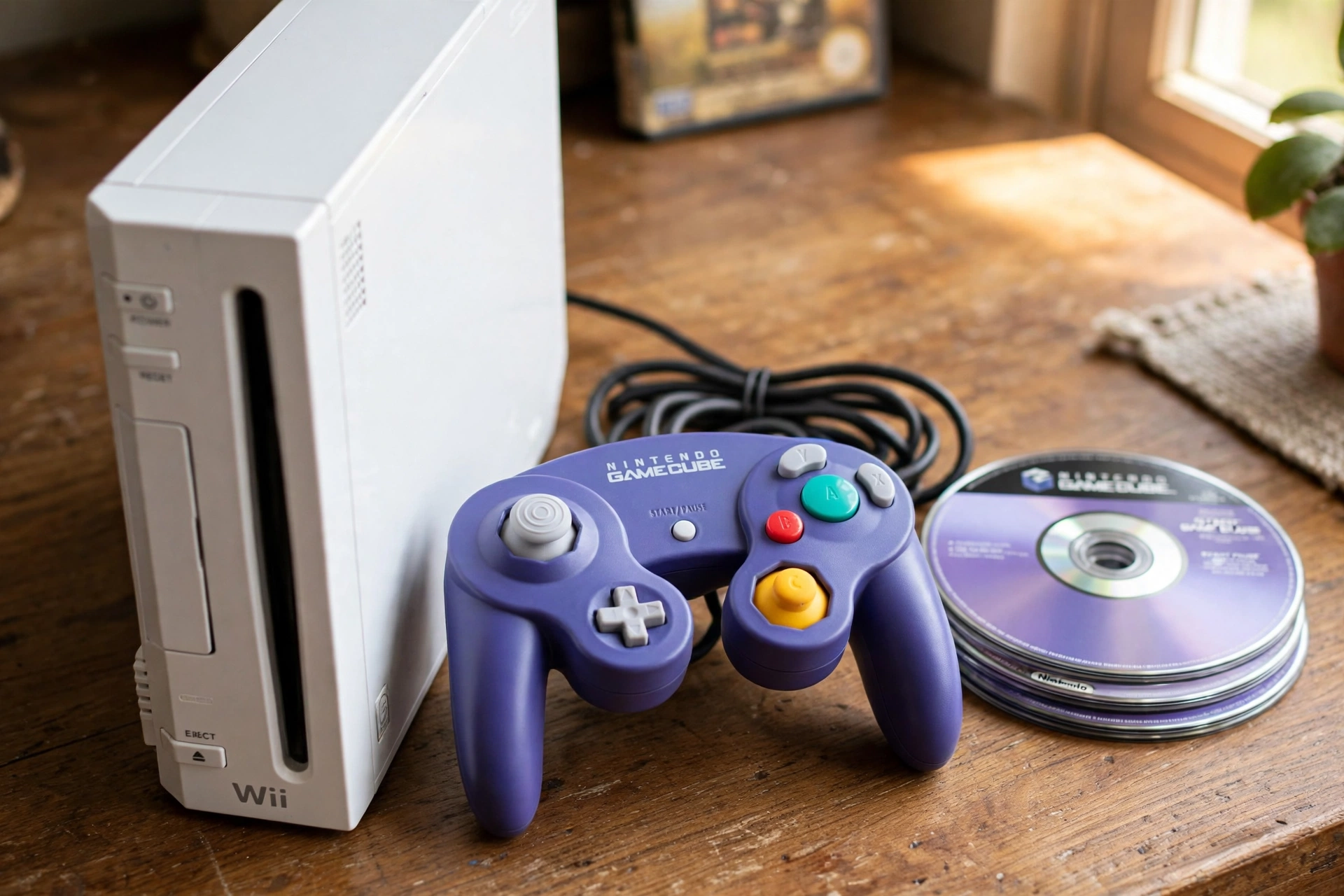
How GameCube Compatibility Actually Works
When Nintendo launched the Wii in November 2006, it built genuine GameCube hardware directly into the console rather than relying on software emulation. Early Wii units included GameCube controller ports, a memory card slot, and the internal chipset needed to run GameCube discs natively, which is why compatibility on those models is close to perfect rather than approximate.
Which Wii Models Support GameCube Games
| Model | GameCube Compatibility | Controller/Memory Card Ports |
|---|---|---|
| Original Wii (2006-2011) | Full | Yes, 4 controller ports + 2 memory card slots |
| Wii Family Edition (2011) | None | No, ports removed entirely |
| Wii Mini (2012) | None | No, no backward compatibility of any kind |
The simplest way to check without hunting down a model number: look at the back and sides of the console. If you can see GameCube controller ports and a memory card slot, GameCube discs will work. If those ports are missing entirely, that unit cannot play GameCube games under any circumstances, regardless of what disc you insert.
What Actually Works vs What Doesn’t
On a compatible original Wii, the vast majority of the roughly 651-title GameCube library runs correctly, since Nintendo’s own testing at launch confirmed effectively the entire NTSC library functioned properly. The main exceptions are titles that relied on the Game Boy Advance Link Cable for connectivity features, such as certain minigames in Animal Crossing or four-player modes in Final Fantasy Crystal Chronicles, which need the physical GBA link cable hardware that most players no longer own. These games still boot and play their core content fine; only the GBA-linked extras are affected.
Using a GameCube Controller on Compatible Wii Models
GameCube games on a compatible Wii require an actual GameCube controller plugged into one of the rear ports, since the Wii Remote isn’t a substitute for GameCube-era control schemes. If you don’t have an original controller, third-party GameCube-style pads are widely available and work identically for this purpose.
What If Your Wii Doesn’t Support GameCube Discs?
If you own a Wii Family Edition or Wii Mini, there’s no software fix or update that restores GameCube compatibility, since the limitation is physical hardware that was never included. Your only realistic options are sourcing an original GameCube console, or a compatible original-model Wii instead, which are both readily available secondhand.
If you’re building a wider retro collection, our N64 games guide, PS2 on PS3 compatibility guide, Xbox 360 on Xbox One compatibility guide, and Wii on Wii U compatibility guide cover similar backward-compatibility questions for other consoles, and our Switch on Switch Lite guide covers a similar hardware-limitation question for current-generation Nintendo hardware.
Frequently Asked Questions
Do all original Wii units definitely play GameCube games?
Every original Wii model (produced 2006-2011) includes the necessary ports and hardware. It’s specifically the later Family Edition and Wii Mini revisions that removed this feature.
Can I mod a Wii Mini to add GameCube support?
The Wii Mini lacks the internal GameCube-compatible hardware entirely, not just the external ports, so this isn’t something that can be added back through modding in the way some port-removal issues can be.
Do GameCube memory cards work on a compatible Wii?
Yes, the memory card slots on a compatible original Wii function identically to a real GameCube, so existing save files transfer over without any special process.
The Nintendont Option: Playing GameCube Games on a Family Edition Wii
If you own a Wii Family Edition, there is one more option worth knowing about, and it changes the picture. The Family Edition cannot play GameCube discs, because the hardware is missing. But it can still run GameCube games from a USB drive or an SD card with a free homebrew loader called Nintendont. This is not emulation. Nintendont uses the Wii’s own GameCube hardware to run the games at full speed, so most titles play exactly as they would on a real GameCube.
To use Nintendont, your Wii must first be modified with the Homebrew Channel installed. That means following a homebrew guide for your system menu version and installing the channel from an SD card. Once the Homebrew Channel is running, you install Nintendont from the Open Shop Channel or from its GitHub page, then place your legally owned GameCube game files on a USB drive or SD card. Nintendont reads the files, shows a game list, and launches the title you pick.
The results are strong. The vast majority of the GameCube library runs correctly, including the big names such as the Super Mario series, The Legend of Zelda: The Wind Waker, and Metroid Prime. Nintendont also adds extras that a real GameCube cannot offer. You can force widescreen in games that never supported it, use a Wii Classic Controller instead of a GameCube pad, and save to a virtual memory card stored on your USB drive instead of buying a physical card.
There is one hard limit to know before you start. The Wii Mini cannot run Nintendont at all. Its hardware lacks the GameCube-compatible parts entirely, not just the external ports, so no software can bring GameCube games back to that model. If you own a Wii Mini, your only path to GameCube games is a real GameCube console or a compatible original Wii.
Five GameCube Games That Play Best on Wii
Not every GameCube game benefits equally from playing on a Wii, but a few stand out. These five are the best place to start if you are building a small collection for a compatible Wii.
The Legend of Zelda: The Wind Waker is the obvious first pick. It is one of the most loved games on the system, and it runs perfectly on a compatible Wii. The cel-shaded art still looks fresh, and the game saves cleanly to a standard GameCube memory card. If you only buy one GameCube game for your Wii, make it this one.
Super Mario Sunshine comes next. It is a full 3D Mario adventure that never left the GameCube, and it plays beautifully with a real GameCube controller. The FLUDD water pack controls feel natural on the original pad, which is exactly what the Wii gives you.
Metroid Prime is the third essential. It is a first-person adventure that rewards slow exploration, and the Wii’s component video output makes it look sharper on a modern TV than the GameCube’s composite cable ever did. Pair it with a component cable for the best picture.
Mario Kart: Double Dash!! is the best multiplayer pick. Two riders per kart makes it unlike any other Mario Kart, and four GameCube controller ports on a compatible Wii mean four players with no extra hardware. It is the easiest way to fill a living room.
Super Smash Bros. Melee closes the list. It remains the competitive standard for the series, and it demands a real GameCube controller with its precise analogue triggers. A compatible Wii with four controller ports is still one of the best ways to play it today.
Can you play GameCube games on Wii Mini with homebrew?
No. The Wii Mini lacks the internal GameCube-compatible hardware entirely, not just the external ports. Homebrew loaders such as Nintendont cannot add hardware that was never built into the console, so GameCube games will not run on a Wii Mini under any circumstances.
Do GameCube games look better on Wii than on a GameCube?
They can do, if you use the right cable. The Wii outputs through component video, which gives a sharper and cleaner picture than the composite cable most GameCube owners used. The game itself renders at the same resolution, but the cleaner signal makes a visible difference on a modern TV.
Final Thoughts
GameCube backward compatibility comes down entirely to which Wii model you own, not any settings or discs. An original launch-era Wii with visible controller ports plays virtually the entire GameCube library correctly; the Family Edition and Wii Mini cannot, regardless of what you try.
About the Author