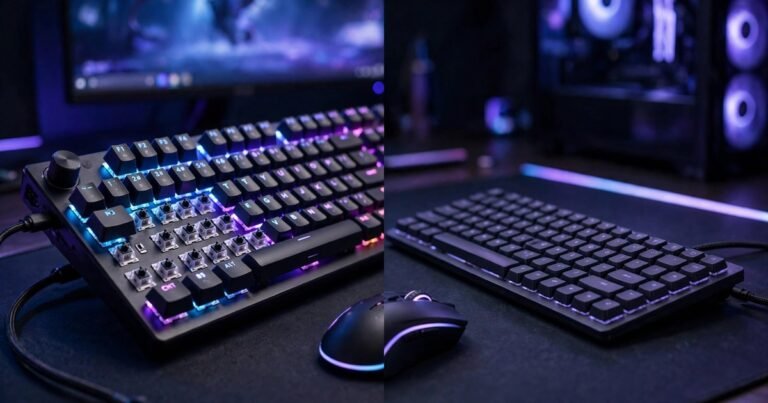
For most gamers, a mechanical keyboard is the better buy. It registers keys faster, handles several keys pressed at once without dropping inputs, and lasts far longer than a membrane board. A membrane keyboard still makes sense if your budget is tight, you play casually, or you need silence.
This guide explains how both types work, tests the claims that matter in real games, and ends with clear picks at three UK budgets.
How a Mechanical Keyboard Works
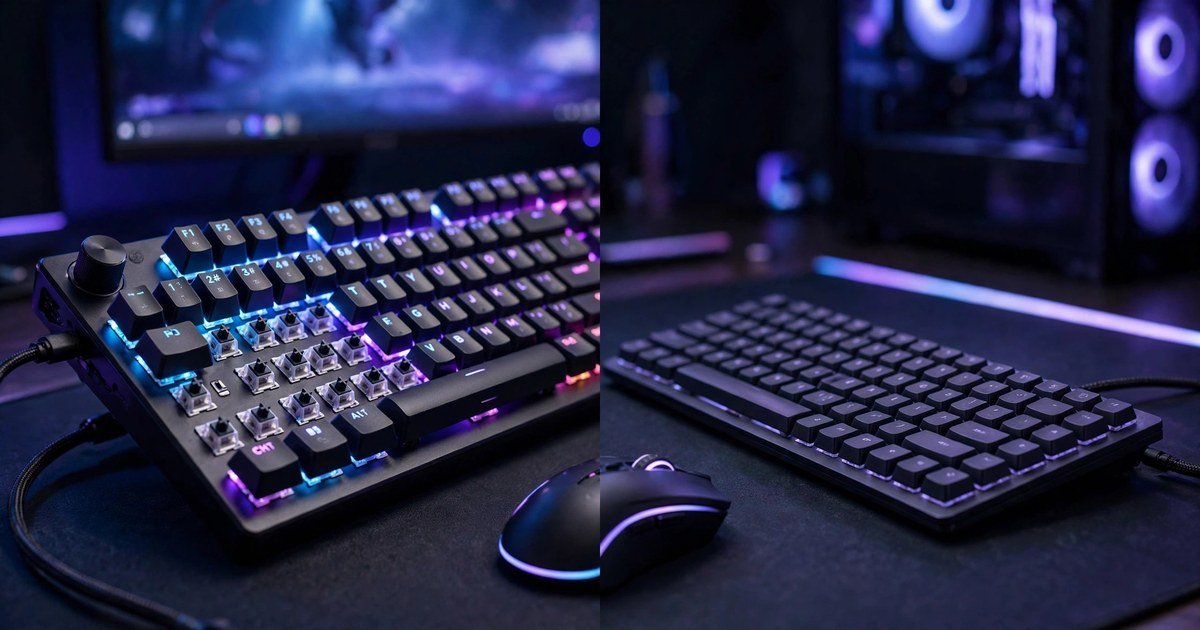
A mechanical keyboard gives every key its own switch. Each switch holds a spring, a stem, and metal contacts. Press the key and the contacts meet at a set point partway down the travel.
Because each key is independent, the press feels the same every time. Most mechanical switches activate at about 2 mm of travel, out of 4 mm total. Linear switches press smoothly with no bump. Tactile switches give a small bump halfway down. Clicky switches add a loud click. Mechanical boards are rated for 50 to 100 million keystrokes per switch, and many let you swap a failed switch.
How a Membrane Keyboard Works
A membrane keyboard puts all its keys over one rubber dome sheet. Press a key and the dome under it collapses, pushing two conductive layers together to register the keypress.
The feel is softer and less defined. There is no clear point where the key activates, so you usually press the key all the way down before it registers. Most membrane boards need 3.5 to 4 mm of travel. The rubber sheet also wears over time. Membrane boards are typically rated for 5 to 10 million presses, and the feel gets mushier as the domes age. They are cheaper to make and quiet by default.
Mechanical vs Membrane at a Glance
| Feature | Mechanical | Membrane |
|---|---|---|
| Actuation point | About 2 mm, partway down | Near full press, 3.5 to 4 mm |
| Key rollover | Full N-key rollover | Usually 6-key rollover |
| Lifespan | 50 to 100 million keystrokes | 5 to 10 million presses |
| Noise | Varies by switch, linear is quiet | Quiet by default |
| Typical UK price | From under £30 | From about £15 to £35 |
| Best for | Competitive and fast-paced games | Casual play and quiet rooms |
Does a Mechanical Keyboard Make You Faster?
The honest answer is that it helps, but it will not turn an average player into a good one. A mechanical switch activates about 1.5 mm earlier than a rubber dome, and that small saving adds up across hundreds of presses in a match.
The bigger gain is consistency. A mechanical switch activates at the same point every time. A rubber dome changes as it wears, and it needs a full press to register. Your keyboard is only one part of the chain, though. Your mouse and your own reactions matter more. Read our guide on how to improve aim in FPS games to work on the skill side too.
The Ghosting Test: Where Membrane Boards Actually Fail
Most comparison articles say membrane boards have limited rollover, then move on. They never test which key combinations fail. Ghosting means a keypress is missed, or a key you did not press registers. It happens when several keys share one circuit on a membrane sheet. Hold W to move, Shift to sprint, Space to jump, and tap a number key to swap weapons, and on many cheap membrane boards one of those inputs drops.
Try this test on your own keyboard. Open a text editor, hold W, A, S, and D at the same time, then press Shift and Space together. If some keys stop appearing, your board has a rollover limit. Gaming membrane boards fix this with anti-ghosting zones around WASD, but the rest of the board still shares circuits. Mechanical boards with full N-key rollover pass this test with every key held down at once. Six-key rollover is enough for most games, but it fails in games that need movement, sprint, jump, crouch, and an ability key all at once.
Which Switch Type Should You Pick?
Linear switches suit most gamers. Cherry MX Red and its many clones press smoothly with no bump, stay fast for double taps, and are quiet enough for shared rooms. They are the safest first choice. Tactile switches suit players who type a lot as well as game. Cherry MX Brown gives a small bump so you feel the actuation point. Clicky switches suit players who love loud feedback and play alone. Cherry MX Blue clicks on every press, which will annoy anyone in the same room.
Hall Effect switches are the 2026 upgrade worth knowing about. They use magnets instead of metal contacts, so the actuation point can be set in software. Rapid trigger lets a key reset the moment you lift it, which helps counter strafing in shooters.
Noise, Comfort, and Long Sessions
Membrane boards win on noise. They are quiet by default, which matters in a shared bedroom or a late-night session. Mechanical boards vary. Linear switches with foam inside the case can be nearly as quiet as a membrane board. Clicky switches are the loudest option in gaming and are not suitable for shared rooms. Comfort depends on the switch, not the keyboard type. Cherry MX Red needs about 45 grams of force, while many membrane domes need more.
The Middle Ground: Mecha-Membrane Boards
Some boards mix both designs. Mecha-membrane keyboards keep the rubber dome sheet but add a mechanical-style switch on top of each dome. The best known example is the Razer Ornata V3, a low-profile mecha-membrane board that costs £50.99 on Amazon UK at the time of writing. It is a fair compromise, but it cannot match a real mechanical board for rollover or lifespan.
Best Picks by UK Budget
Prices below were checked on UK retailers on 20 November 2026.
Under £35: start mechanical, not membrane
The Dierya DK61se costs under £30 and gives you real Gateron mechanical switches in a compact 60 percent layout. The Corsair K55 RGB Pro is the best membrane option at this price, at £34.99, with RGB lighting and macro keys. If you want a full-size board, the K55 is the pick. If you can live without a number pad, the DK61se is the better gaming board.
£35 to £70: the sweet spot
The AULA WIN60 HE costs £37.49 and brings Hall Effect switches with rapid trigger to a budget board, the best value pick here for competitive shooters. The AULA F75 costs £63.91 and adds a 75 percent layout, hot-swappable switches, and wireless connectivity. Either board beats every membrane board at this price for gaming.
£70 and over: buy for the long term
The Razer BlackWidow V4 X costs £89.99 and is a solid first premium mechanical board, with six macro keys and a choice of clicky or linear switches. Above £100, look at hot-swappable boards from Keychron and Ducky, where you pay for build quality and a board that lasts a decade.
Which One Should You Buy?
| Your situation | Best choice |
|---|---|
| Competitive shooters or ranked play | Mechanical, linear or Hall Effect |
| Casual single-player games | Either, pick by budget and feel |
| Shared room or late-night play | Membrane, or linear mechanical |
| Budget under £35 | Dierya DK61se, or Corsair K55 |
Pair your keyboard with the rest of your setup. A good mouse matters just as much, so read our guide to the best gaming mouse for small hands. And if your desk is tight, our gaming setup ideas for a small room show how to fit a full-size board into a small space.
Frequently Asked Questions
Are mechanical keyboards really better for gaming?
Yes, for most games. They activate faster, register several keys at once without dropping inputs, and last far longer.
Are membrane keyboards bad for gaming?
No. A decent gaming membrane board with anti-ghosting around WASD handles casual play fine. Problems show up in competitive games that need many keys held at once.
Are mechanical keyboards too loud for a shared room?
Clicky switches are. Linear switches are much quieter, and a board with foam inside the case is close to membrane volume. If you share a room, avoid clicky switches.
How long does a mechanical keyboard last?
Switches are rated for 50 to 100 million keystrokes, which is many years of daily gaming. A membrane board is usually rated for 5 to 10 million presses.
Conclusion
A mechanical keyboard is the better gaming keyboard for most players. It is faster, more consistent, and far more durable. A membrane keyboard still earns its place for casual players, quiet rooms, and tight budgets. Test the ghosting combinations from this guide on your current board first. If keys drop when you hold movement, sprint, and jump together, that is the clearest sign an upgrade will help.
About the Author