Stick drift comes from mechanical wear inside the joystick module, not a single fixable cause
Your crosshair drifts left on its own. Your character walks forward without you touching the stick. Stick drift is one of the most common hardware complaints in gaming, and most advice online either oversells a temporary fix as permanent or, worse, is written by the same brands trying to sell you a replacement controller. Here’s an honest breakdown.
What Actually Causes Stick Drift
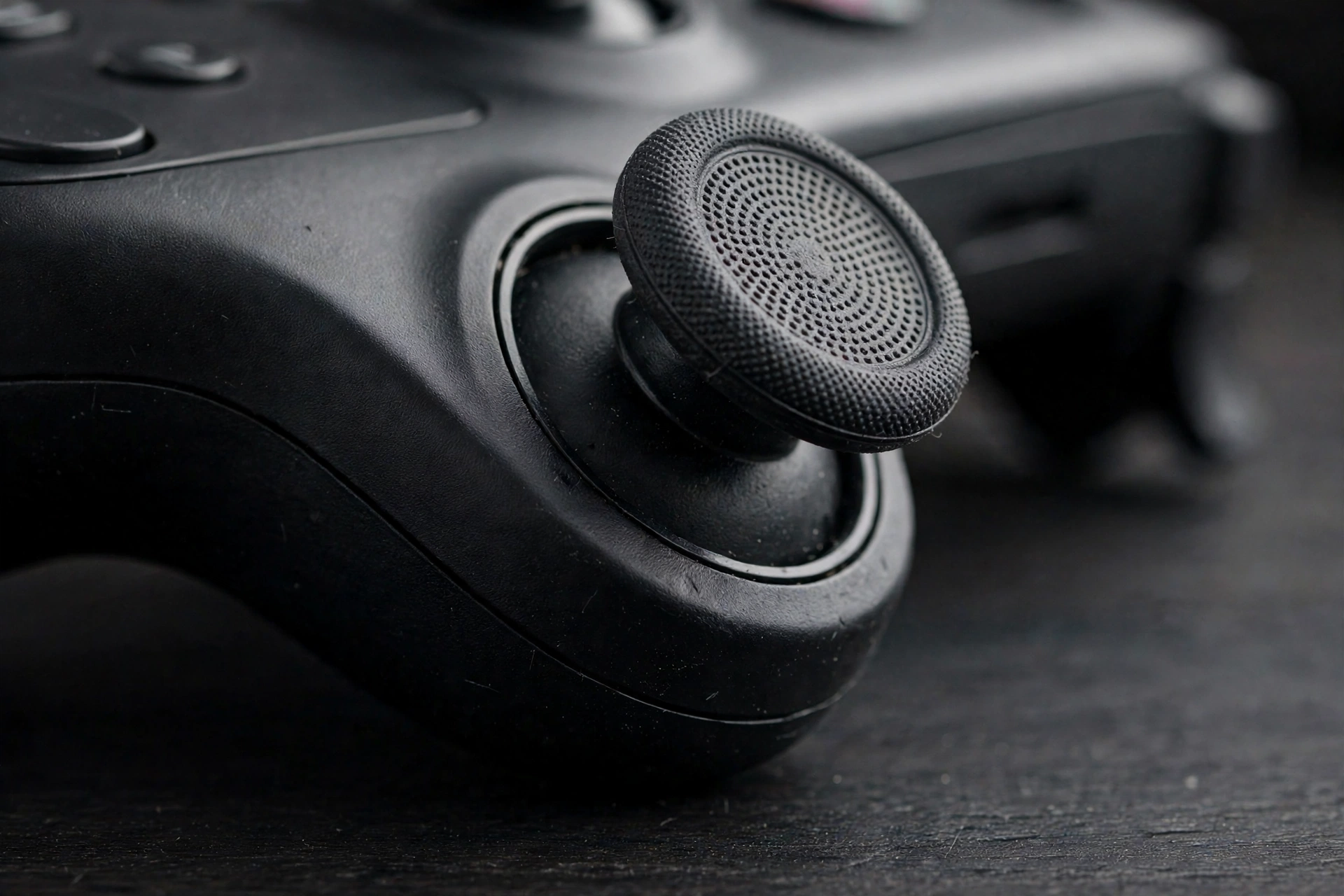
Standard PS5, Xbox, and Switch controllers use potentiometer-based thumbsticks, which rely on physical contact between a resistive surface and a wiper component to register position. That physical contact is exactly the problem: friction wears down the resistive track over months of use, and dust or oils from your hands accelerate the process further. This is a mechanical wear issue, not a software bug, which is the single most important thing to understand before attempting any fix.
Fixes Ranked by How Well They Actually Work
Compressed Air (Free, Temporary)
Power off the controller, hold the stick to one side to expose the gap at its base, and spray short 2-3 second bursts of compressed air into the gap from multiple angles. This clears loose dust and debris, and it’s genuinely effective if drift developed gradually from grime rather than actual component wear. It does nothing for a worn resistive track.
Contact Cleaner (Under £10, Temporary but Longer-Lasting)
Electronic contact cleaner (not WD-40 or general lubricant, which leave residue that attracts more dust) cleans the contact surface more thoroughly than air alone and leaves a thin protective layer. Apply a short burst into the same gap, rotate the stick vigorously in all directions for about 30 seconds, then let it dry for a few minutes before testing.
Software Recalibration (Free, Situational)
Every major platform has a built-in calibration tool (PS5: Settings > Accessories > Controllers > Calibrate Controller; similar menus exist on Xbox and Switch). This helps when drift is caused by a shifted centre-point reading rather than physical wear, but it can’t compensate once the resistive track itself is damaged.
Hall Effect Upgrade or Replacement (The Only Permanent Fix)
Hall Effect sticks use magnets and a sensor instead of physical contact, so there’s no friction and effectively no wear-based drift. This is achieved either by buying a controller with Hall Effect sticks built in from the start, or by replacing the joystick module in an existing controller with a Hall Effect version, a repair that’s increasingly accessible but still involves opening the controller.
Comparison: Which Fix Suits Your Situation
| Situation | Best Fix | Expected Result |
|---|---|---|
| Mild, intermittent drift after heavy use | Compressed air | Often resolves fully if caused by dust |
| Drift that returns within days of cleaning | Contact cleaner | Lasts longer than air alone, still temporary |
| Drift with no clear pattern | Software recalibration | Fixes centre-point issues, not wear |
| Persistent drift after cleaning attempts | Hall Effect upgrade/replacement | Permanent solution |
Preventing Drift Before It Starts
Avoid clicking the thumbsticks (L3/R3) repeatedly for functions like sprint or melee where a game allows remapping to shoulder buttons instead, since each click stresses the joystick module beyond normal movement wear. Keep food and drink away from your controller, store it away from direct sunlight and humidity, and avoid wrapping the cable tightly around the controller body, which stresses internal connections over time. If you’re buying a new controller and drift has been a recurring problem, going straight for a Hall Effect model from the outset sidesteps the entire issue.
Once your controller is sorted, our controller connection troubleshooting guide, gaming IEMs guide, gaming keyboard cleaning guide, and gaming PC overheating guide cover other commonly overlooked parts of a comfortable, reliable setup.
Frequently Asked Questions
Can stick drift be fixed permanently without buying a new controller?
Yes, if you’re comfortable opening the controller, replacing the joystick module with a Hall Effect version achieves a permanent fix without buying an entirely new controller.
Does stick drift affect all controller types equally?
No, drift specifically affects potentiometer-based sticks. Controllers with Hall Effect sticks from the factory are essentially immune to this specific wear mechanism, though other components can still fail over time.
Is stick drift covered under warranty?
This varies by manufacturer and region, and policies have shifted over time following public pressure and, in some cases, legal action over the issue. Check your specific manufacturer’s current warranty terms rather than assuming either way.
How to Test for Stick Drift Properly Before You Fix Anything
Do not start fixing stick drift until you have measured it. A stick that feels wrong in one game can be fine everywhere else. A stick that drifts a little is normal. Every analogue stick rests slightly off centre. The test tells you whether you have a real problem or a normal stick.
The easiest test runs in your browser. Plug your controller into your PC with a USB cable or Bluetooth, then open a free gamepad tester site. These sites show a live reading for each stick. Put the controller flat on a table and do not touch it. Watch the at rest reading for each stick. A steady reading near zero means the stick is healthy. A reading that sits away from zero, or wanders on its own, means drift.
The numbers have clear meanings. Under 5 percent is normal. Every stick rests a little off centre, and games ignore that much. From 5 to 10 percent is minor drift. Cleaning the stick and raising the deadzone will usually hide it. Over 10 percent is real drift. Cleaning may help for a while, but the sensor is worn and you should plan for a repair or a replacement. Write the number down. It tells you which fixes are worth trying and which ones are a waste of time.
Test in the system menu as well as in a game. On a PlayStation 5, open the controller settings and watch the stick position. On an Xbox, use the Xbox Accessories app. On a Nintendo Switch, use the stick calibration screen. If the stick drifts in the system menu, the problem is the controller. If it only drifts in one game, the problem is that game’s settings. Raise the deadzone in that game first before you touch the controller.
Test both sticks separately. The left stick wears faster than the right one, because movement games use it constantly. The right stick, which controls the camera, often drifts later. If only one stick drifts, you only need to fix that one. If both drift, the controller has had heavy use and a replacement may be the better spend.
Re-test after every fix. Clean the stick, then test again. Update the firmware, then test again. Raise the deadzone, then test again. A fix that does not move the number has not worked. Move on to the next step. Guessing wastes time. Testing proves what worked.
Deadzone Tuning: The Free Fix Most Players Set Wrong
A deadzone is a small zone around the centre of the stick where movement is ignored. It does not fix the stick. It hides the drift. Used correctly, it is the best free fix in this guide. Used wrongly, it makes your aim worse.
Set the deadzone just above your measured drift. If your drift test showed 7 percent, set the deadzone to about 10 percent. That gives you a small safety margin without eating into your real movement. If you set it to 20 percent, the drift disappears, but so does your fine aim. Small movements near the centre stop registering. Your crosshair feels sluggish. Your character turns in steps instead of smoothly. That is the cost of a deadzone set too high.
Most games let you set the deadzone in their controller settings. Look under Controls or Controller in the settings menu. Set the left stick and the right stick separately, because they drift by different amounts. On a PC, Steam Input lets you set a deadzone for any game, even games that have no deadzone setting of their own. Open the controller settings in Steam, pick the game, and set the deadzone there. It works for PlayStation, Xbox and Switch controllers on PC.
One important correction. The PS5 DualSense has no on-console stick calibration menu. Sony’s own support route is to reset the controller with the small button on the back, then update the firmware, then use the deadzone setting inside each game. If a guide tells you to open a PS5 calibration screen, that screen does not exist. Reset and deadzone is the correct route on PlayStation. Xbox controllers do have a recalibration tool in the Xbox Accessories app, and the Switch has a calibration screen in its system settings. Use the tool your platform actually has.
A deadzone is a mask, not a repair. It hides the symptom while the wear continues underneath. If your drift is under 10 percent, a deadzone can keep the controller usable for months. If your drift is over 10 percent and growing, the deadzone will need raising every few weeks. At that point the sensor is worn out. Stop raising the deadzone and plan a repair or a replacement. A controller with a 25 percent deadzone is not a working controller. It is a broken one with the symptoms hidden.
Is stick drift covered under warranty in the UK?
Yes, usually. Stick drift is a hardware fault, so it is covered while the controller is under warranty. Do not open the controller first. Opening it can void the warranty. Contact the maker first: Sony for a DualSense, Microsoft for an Xbox controller, Nintendo for a Joy-Con. Nintendo repairs drifting Joy-Con free of charge in the UK and the EEA, even after the standard warranty ends and even when wear caused it. In the UK you also have rights under the Consumer Rights Act 2015. A controller that develops drift within six months is presumed faulty from the start, and the seller must repair or replace it.
Does stick drift get worse over time?
Yes, in almost every case. Stick drift comes from physical wear on the sensor inside the stick. Every hour of play wears the track a little more. Dust and oils from your hands speed it up. A stick that drifts 6 percent today will drift 10 percent in a few months of heavy use. That is why testing matters. A small number now tells you how much time you have. Clean the stick, raise the deadzone, and start planning. The drift will not fix itself, and it will not stay where it is.
Final Thoughts
Stick drift is a mechanical wear problem, not a software glitch, which is why cleaning and recalibration only ever offer temporary relief. If you’re tired of the cat-and-mouse cleaning cycle, a Hall Effect controller or replacement module is the only fix that actually solves the underlying cause.
About the Author