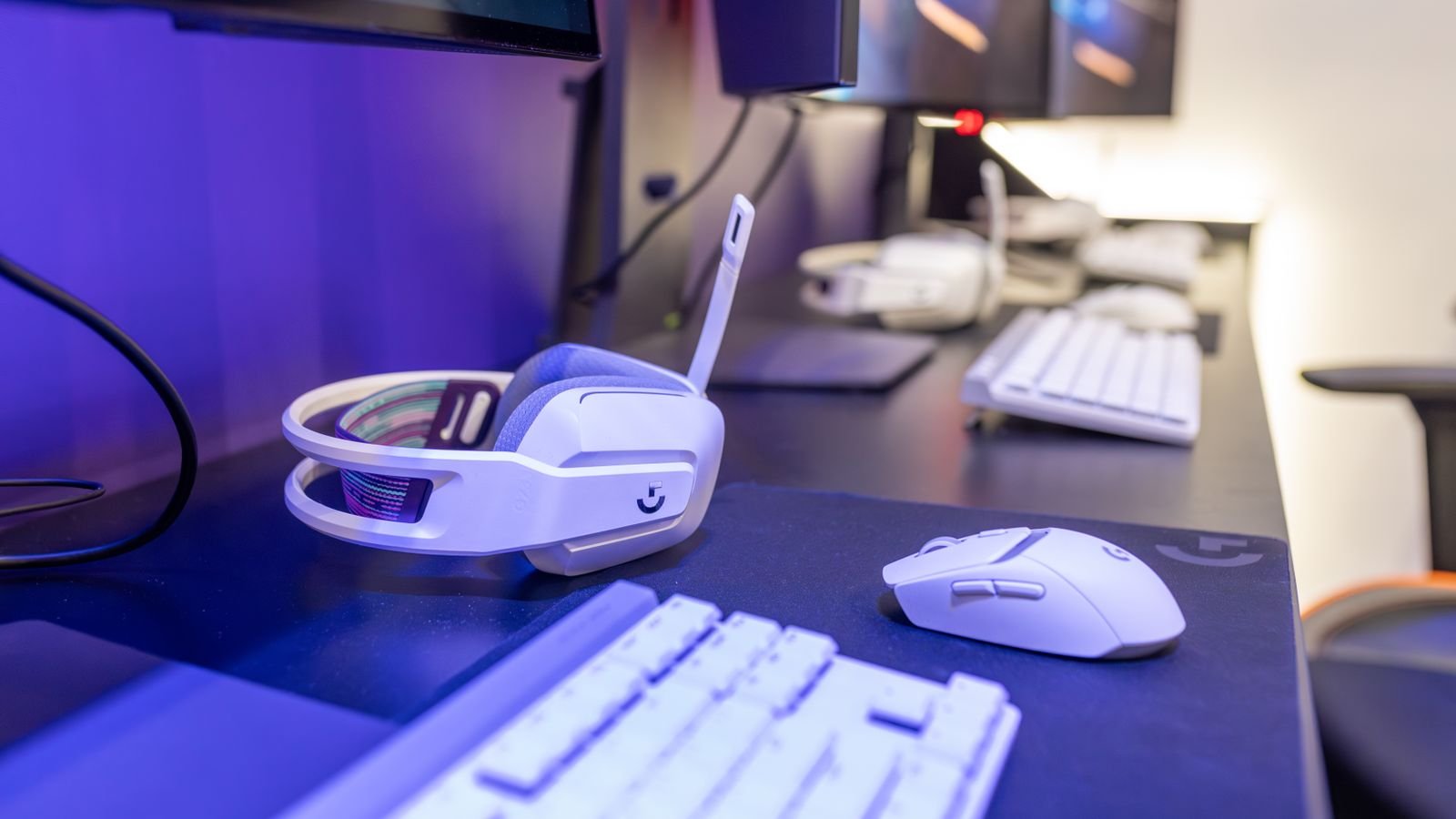
White gaming PCs have become a popular alternative to the traditional black tower
White gaming PCs have moved from a niche aesthetic choice to one of the most requested builds among custom PC builders. Where black towers used to be the only real option, most major case, motherboard, and cooler manufacturers now offer proper white variants rather than an afterthought colourway. Here’s what actually matters if you’re planning one.
Why White Builds Became Popular
Tempered glass side panels turned PC cases into display pieces rather than just enclosures, and white interiors show off RGB lighting and cable work more dramatically than black ones, since the lighter surface reflects and diffuses colour more visibly. White setups also photograph better for streaming and social content, which has pushed demand from both builders and component manufacturers.
Choosing White Components
Case
Look specifically for a case designed in white from the outset rather than a black case with white accents, since true all-white cases have matched interior paneling, not just an exterior shell. NZXT (the H6 Flow and H9 Flow), Lian Li (the O11 Dynamic EVO and V100), and Corsair (the 4000D and 3500X) are the three brands most consistently praised for maintaining a genuinely pure white finish over time. Cheaper cases with plastic panels and low-quality paint can yellow within 1-2 years of UV and heat exposure; premium aluminum-panelled cases from these brands hold their white finish for 2+ years in independent testing. Mesh-front cases in white show dust more visibly than black ones, so factor in more frequent cleaning.
Motherboard
White motherboards exist at most price points now, though selection thins out at the high end. If a fully white motherboard isn’t available in your budget tier, a black board with a white heatsink shroud is a reasonable compromise, since it’s mostly hidden by the GPU and cooler anyway.
Cooler and Fans
White AIO liquid coolers and white-bladed fans are widely available and make a bigger visual difference than people expect, since the cooler often sits front and centre behind a glass panel. Mismatched fan colours are one of the most common mistakes in otherwise well-planned white builds.
Cables
Standard PSU cables are almost always black, which stands out badly in a white build. White (or white-and-black) sleeved cable extensions are a small cost that makes a disproportionately large visual difference, and are worth budgeting for from the start rather than as an afterthought upgrade.
Component Colour Matching Checklist
| Component | What to Check |
|---|---|
| Case interior | Fully white, not just the exterior shell |
| Motherboard | White PCB/shroud, or mostly hidden by GPU |
| GPU shroud | Many are black by default; white GPU editions cost a premium |
| PSU | White or black (mostly hidden in a shroud on most cases) |
| Cables | White sleeved extensions recommended |
| Fans/cooler | Match blade colour, not just the frame |
The GPU Problem
Graphics cards are the hardest component to get in white, since most manufacturers only offer their flagship models in white shroud variants, often at a noticeable price premium over the standard black version. Budget and mid-range GPUs are far less likely to have a white option, which is the single biggest constraint on a fully colour-matched white build at a reasonable price. It’s worth debunking a common myth here too: case or shroud colour has no meaningful effect on temperatures, typically under 1°C difference between otherwise-identical white and black coolers in side-by-side testing. What actually matters for thermals is cooler design and airflow, not colour, so don’t let a hotter-sounding “white runs hotter” myth push you toward a worse GPU choice.
Pre-Built vs Custom White PC
Pre-built white gaming PCs from major system integrators are increasingly common and remove the colour-matching hassle entirely, since the manufacturer has already sourced matched components. The trade-off is less control over individual part choice and typically a smaller selection of white cases and motherboard combinations than building custom. If you want a specific case or motherboard not offered pre-built, a custom build remains the only route to get exactly what you want.
Once your PC is sorted, our gaming desk and chair guide and gaming mat guide cover the rest of the setup around it.
Frequently Asked Questions
Are white gaming PCs harder to keep clean?
Dust shows more visibly on white surfaces, particularly around mesh intake panels, so expect to clean a white build slightly more often than an equivalent black one to keep it looking sharp.
Do white PC parts cost more than black ones?
Generally yes, particularly for GPUs and motherboards, where white variants are often positioned as premium SKUs. Cases, fans, and coolers tend to have a smaller or no price difference between colourways.
Can I turn a black PC build white with paint?
It’s possible with plastic-safe spray paint on cases and shrouds, but painting a PCB or anything with electrical contacts is not advisable. Painting is realistically limited to case panels, fan frames, and some plastic shrouds.
Final Thoughts
A genuinely well-matched white gaming PC takes more planning than a black build, mainly because of limited white GPU options and the need for sleeved cable extensions. Budget for those two items specifically, since they’re the most common places a white build ends up looking mismatched. If you’re deciding on a graphics card tier first, our RTX 5090 vs 5070 Ti vs 5070 guide and budget gaming PC guide cover the performance side of the decision.
About the Author