
Refurbished gaming laptops can offer strong value if you know what to check
A refurbished gaming laptop can get you considerably more performance per pound than buying new, but “refurbished” covers a wide quality range depending on the seller. Knowing what to check before buying separates a genuine bargain from an expensive mistake.
What “Refurbished” Actually Means
Refurbished laptops generally fall into a few categories: manufacturer-refurbished (returned or repaired units tested and certified by the original brand), retailer-refurbished (tested and repackaged by a large retailer, often with their own warranty), and third-party refurbished (independent sellers, quality varies enormously). Manufacturer-refurbished units, when available, are usually the safest bet since they’ve been through the most rigorous testing process and typically carry a genuine warranty rather than just a returns window.
What to Check Before Buying
Battery Health
Battery degrades with charge cycles regardless of how well a laptop was otherwise maintained, and it’s the component most likely to disappoint on a refurbished unit. Ask the seller directly for battery health percentage or cycle count if it isn’t listed, and treat anything under 80% health as a laptop you’ll likely need to budget a battery replacement for.
Screen Condition
Check listing photos closely for dead pixels, backlight bleed, or uneven brightness, and confirm the seller’s return policy explicitly covers screen defects discovered after delivery, since these aren’t always obvious from photos alone.
Thermal Performance
Gaming laptops run hot, and a unit with worn thermal paste or dust-clogged fans from its previous life will throttle performance under load even if every other spec checks out. A reputable refurbisher should have reapplied thermal paste and cleaned the cooling system as standard, not just wiped the exterior.
Storage and RAM Upgradability
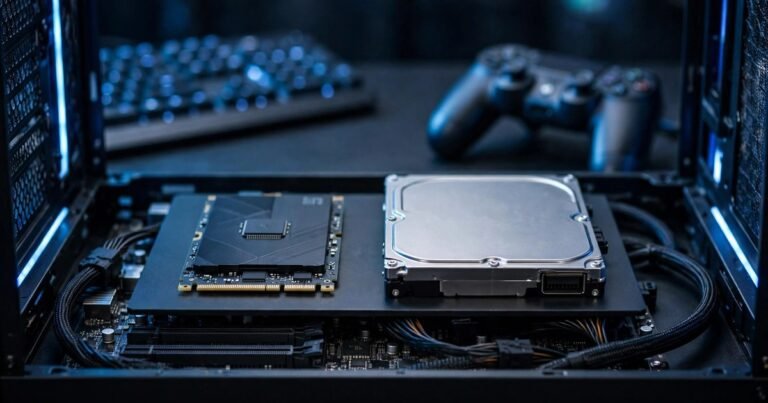
Check whether the model has upgradable RAM and storage before buying, since many recent gaming laptops solder RAM directly to the motherboard, closing off future upgrades entirely. A model with accessible SODIMM slots and a spare M.2 slot gives you a cheap upgrade path later if the base configuration falls short.
Refurbished Laptop Grading Explained
| Grade | Typical Condition | What to Expect |
|---|---|---|
| Grade A / “Excellent” | Minimal to no visible wear | Near-new cosmetic condition, tested fully functional |
| Grade B / “Good” | Light scratches, minor wear | Fully functional, some cosmetic imperfections |
| Grade C / “Fair” | Visible wear, possible minor cosmetic damage | Functional but noticeably used, biggest discount |
Warranty and Return Policy
This matters more with a refurbished unit than a new one. A minimum 90-day warranty is a reasonable baseline expectation, and anything shorter than 30 days is worth treating cautiously, since laptop faults from a previous life sometimes only surface under sustained gaming load rather than during a quick initial test. Confirm whether the warranty covers parts and labour or just parts.
Where to Buy
Dell Outlet and HP Renew are the manufacturer-run channels for laptops like Alienware and OMEN models, offering the strictest cosmetic grading and the longest warranties (typically 12-24 months) but the narrowest model selection. Specialised refurbishers like Back Market list a much broader range including Alienware, ROG Strix, and Razer models, using a consistent Fair/Good/Excellent condition scale (cosmetic only, never affects performance) alongside a standard 1-year warranty and roughly 30-day return window, plus an up-to-100-point quality inspection per unit. Mass retail channels like Walmart Restored or Best Buy Outlet tend to be cheapest but give the least technical detail on prior thermal throttling or drive wear, which is exactly the information this guide recommends asking for directly.
If you’re weighing a laptop against a desktop rebuild instead, our refurbished gaming desktop guide covers the equivalent checks for tower builds.
Frequently Asked Questions
Is a refurbished gaming laptop as reliable as a new one?
A well-graded, manufacturer or retailer refurbished unit with a proper warranty is generally reliable. Reliability drops mainly with third-party sellers offering minimal warranty and vague grading, where undisclosed prior faults are more likely.
How much can I realistically save buying refurbished?
Savings of 20 to 40% off the original retail price are common for gaming laptops one to two generations old, though exact figures vary by model demand and condition grade.
Should I buy an extended warranty on a refurbished laptop?
If the base warranty is short (30 days or less) and the laptop represents a significant purchase, an extended warranty is worth considering, particularly for the battery and cooling system, which are the components most likely to need attention first.
Final Thoughts
A refurbished gaming laptop is a genuinely good way to get more performance for your budget, provided you check battery health, thermal condition, and warranty terms before buying rather than after. Manufacturer or established retailer refurbishment programmes are worth the modest price premium over unknown third-party sellers for the peace of mind alone. Once you’ve got your hardware sorted, EuroGamersOnline’s PC gaming content covers performance tuning and setup tips worth a read.
About the Author