Google Snake has grown from a simple Easter egg into a genre with around 17 modes listed in fan guides
Snake has survived nearly every era of gaming, from 1970s arcade cabinets to Nokia phones to the browser tab you’re reading this in. Google’s own version, released as a birthday Easter egg, has quietly become one of the most-played browser games in the world, and it’s grown far beyond the single classic mode most people remember. Fan guides list around 17 modes, although Google publishes no official list.
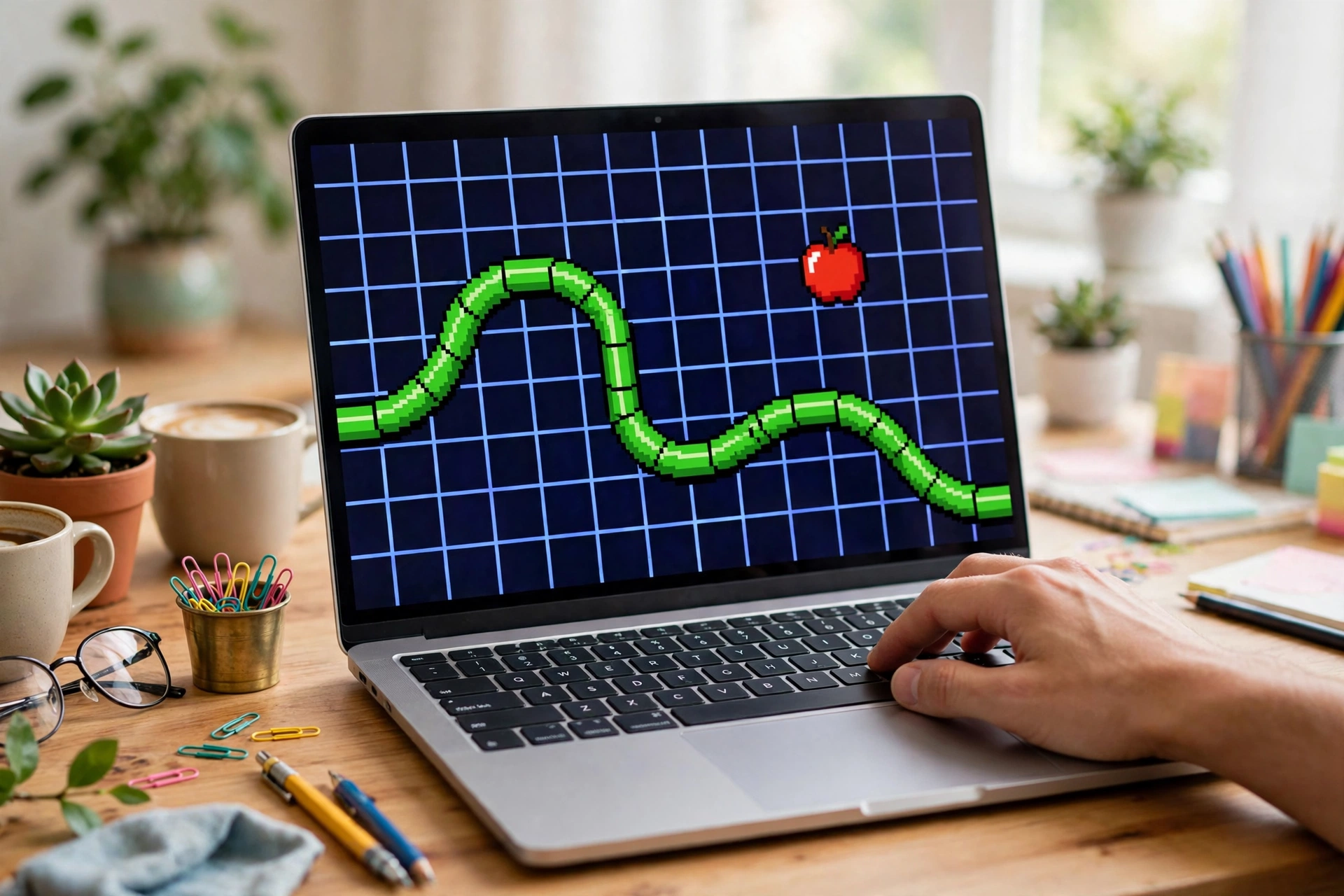
Where Google Snake Actually Came From
Google Snake launched on 27 September 2017 as part of the search engine’s 19th birthday Doodle, built as a tribute to Snake’s long history rather than an original concept. That history stretches back to 1976’s arcade original, though most players associate the genre with Nokia’s 1998 version, programmed by Taneli Armanto for the Nokia 6110, which introduced Snake to a generation of mobile phone owners. Google’s take started as a fairly direct remaster with the classic single-apple format, then expanded considerably over subsequent updates into a much bigger game in its own right.
The Year of the Snake Doodle in the Google Doodles archive, published on 29 January 2025 for Lunar New Year, is still playable in 2026, with Classic plus a Daily Challenge mode.
Core Rules
The fundamentals haven’t changed since 1976: guide the snake to eat food, growing longer with each piece consumed, while avoiding collisions with the walls or your own body. In Google’s version, growth happens instantly rather than gradually trailing behind, and open play areas near the edges become genuinely dangerous once your snake stretches across most of the board.
Controls
| Platform | Controls |
|---|---|
| Desktop | Arrow keys (up, down, left, right) |
| Mobile | Swipe in the direction you want to turn |
The settings menu offers three speed options: Turtle, Snake and Rabbit. It also offers three map sizes: Small 10×9, Regular 17×15 and Big 24×21.
Game Modes Worth Knowing
Google Snake has expanded to around 17 modes listed in fan guides since launch, each changing the core formula in a different way. Google publishes no official list, so the exact count is not official. Wall Mode adds static obstacles across the board, ending your run instantly on contact. Portal Mode lets your snake teleport between opposite edges of the play area, turning the board into a wraparound space. Multi Mode places several food items on the board simultaneously, encouraging faster, riskier routes between them. Cheese Mode requires eating food items in a specific set order, adding a planning element the classic format never had. Beyond these, the game also offers adjustable board sizes, three speed settings, and a Daily Challenge mode for players chasing a fresh objective each day.
Every Mode in the Game
Google publishes no official list, so fan guides list around 17 modes. The five modes described above are Classic, Wall, Portal, Multi and Cheese, and the other modes listed in fan guides include:
Twin. Twin is one of the modes listed in fan guides.
Winged. Winged is one of the modes listed in fan guides.
Yin Yang. Yin Yang is one of the modes listed in fan guides.
Key. Key is one of the modes listed in fan guides.
Poison fruit. Poison fruit is one of the modes listed in fan guides.
Sokoban. Sokoban is one of the modes listed in fan guides.
Minesweeper. Minesweeper is one of the modes listed in fan guides.
Peace. Peace is one of the modes listed in fan guides.
No Borders. No Borders is one of the modes listed in fan guides.
Blender. Blender mixes modes, and is one of the modes listed in fan guides.
Comparison: Modes by Skill Focus
| Mode | Primary Skill Tested | Good For |
|---|---|---|
| Classic | Spatial awareness, timing | Learning the basics |
| Wall Mode | Route planning around obstacles | Players who want more challenge |
| Portal Mode | Spatial reasoning across wraparound edges | Experienced players wanting a twist |
| Multi Mode | Fast decision-making | High-score chasing |
| Cheese Mode | Planning and sequencing | Players who prefer strategy over speed |
| Twin | Varies by mode | Players exploring every mode |
| Winged | Varies by mode | Players exploring every mode |
| Yin Yang | Varies by mode | Players exploring every mode |
| Key | Varies by mode | Players exploring every mode |
| Poison fruit | Varies by mode | Players exploring every mode |
| Sokoban | Varies by mode | Players exploring every mode |
| Minesweeper | Varies by mode | Players exploring every mode |
| Peace | Varies by mode | Players exploring every mode |
| No Borders | Varies by mode | Players exploring every mode |
| Blender | Varies by mode | Players exploring every mode |
Tips for a Higher Score
Hug the outer edge of the board early on, since it preserves the most open space in the centre for when your snake gets long and manoeuvring room becomes scarce. Plan two or three moves ahead rather than reacting to the food’s current position, since a snake moving at speed can’t safely make sharp last-second turns once it’s grown substantially. In Wall Mode specifically, memorise the fixed obstacle layout early in the run rather than treating each wall as a surprise.
If fast reflexes and constant motion are what you enjoy about Snake, our games that are not blocked guide and Best Browser Games guide cover other genres worth trying next.
Frequently Asked Questions
How do I find Google Snake?
Searching “snake game” on Google surfaces a playable version directly at the top of the search results, alongside official browser games hosted on established platforms.
Can I change the board size and speed in Google Snake?
Yes, the settings menu offers three board sizes and three speed options, letting you tune the difficulty independently of which mode you’re playing.
Is there a way to play Google Snake with friends?
Yes, one of the added modes supports simultaneous local multiplayer on the same device, distinct from the single-player modes most players start with.
How many modes does Google Snake have?
Around 17 modes are listed in fan guides, including Blender which mixes modes, and the exact list changes with updates. Google publishes no official list.
Three Patterns That Push Your Score Past 100
Most players lose Google Snake the same way. They chase each apple at random, turn too late, and trap themselves in a corner. High scores do not come from fast reflexes. They come from patterns. Learn three patterns and your score will jump.
The first pattern is perimeter framing. Start the game by tracing the outer edge of the board. Pick a direction, clockwise or anti-clockwise, and stick to it. Your body forms a frame around the edge. The centre stays open and safe. This pattern easily carries you to a score of 30 to 50 with almost no risk. It is the best pattern for beginners because it is simple and it builds discipline.
The second pattern is the S-curve, also called the lawn mower pattern. Once your snake is long, stop circling the edge. Move back and forth across the board like you are mowing a lawn. Go across one row, drop down one square, then come back across the next row. This fills the board in an orderly way. It is the most efficient pattern for scores above 50. It needs more focus than the perimeter, but it keeps working when the board gets crowded.
The third pattern is the spiral. Use it in the endgame, when your snake fills most of the board. Move in concentric circles, slowly tightening toward the centre. The spiral is predictable. You always know where your tail is. Never chase an apple that sits inside a tight gap. Let it pass. One risky turn can end a run that took ten minutes to build.
Switch patterns as the game changes. Start with the perimeter while the snake is short. Move to the S-curve once the board starts to fill. Finish with the spiral when space is tight. The players who reach 100 and beyond are not faster than you. They just follow a plan.
Use the Settings Menu as a Training Tool
Most players never open the settings menu. That is a mistake. The settings in Google Snake are a training tool. You can use them to practise one skill at a time, then bring that skill back to the normal game.
Set the map to large and the speed to slow. This gives you time and space to practise the S-curve without pressure. You can learn the pattern calmly and build muscle memory. Once the pattern feels natural, raise the speed one step at a time.
Set the map to small and the speed to fast. This is a reaction drill. It forces quick, precise turns. Use it as a warm up before a serious run. Five minutes of fast small board play sharpens your reactions for the real game.
Try Portal mode to practise spatial awareness. In Portal mode, eating a banana teleports your head to the other banana on the board. You must think of the board as a loop, not a flat field. It teaches you to plan two moves ahead instead of one.
Set the number of apples to five for crisis practice. Five apples on the board at once creates chaos fast. You must navigate around several targets while your snake grows quickly. It is hard, but it teaches you to stay calm when the board fills up.
Practise in short sessions. Ten minutes of focused practice beats an hour of random play. Pick one skill, set the game up for it, and repeat it until it feels easy. Then move on to the next skill.
What is the highest possible score in Google Snake?
The maximum score depends on the map size. On the regular map, the maximum is 252 points. On the small map, it is 87 points. On the big map, it is 502 points. Reaching the maximum means filling every square on the board with your snake. Almost nobody does it. A score above 100 on the regular map is already an excellent result.
What is the Google Snake Year of the Snake Doodle?
Google released a special Snake Doodle on 29 January 2025 to celebrate the Lunar New Year and the Year of the Wood Snake. It is a separate game from the normal Google Snake in search results. It has a Classic mode and a Daily Challenge mode with a different objective each day. The Doodle left the Google homepage in mid February 2025, but it is still playable in the Google Doodles archive. Search for Year of the Snake 2025 on the Doodles site to find it.
Final Thoughts
Google Snake proves how much depth can be built onto a nearly 50-year-old formula without losing what made it work in the first place. Whether you stick to Classic Mode for nostalgia or work through Wall, Portal, and Cheese Mode for a genuine challenge, it remains one of the most accessible browser games available.
About the Author