An SSD beats a hard drive for gaming in almost every way that matters. Games load faster and open worlds stream without hitches. A hard drive still has one job left: cheap bulk storage for games you rarely play. This guide explains where the speed shows up, which games now demand an SSD, and which drive to buy in the UK in November 2026.
How an SSD and a hard drive actually differ
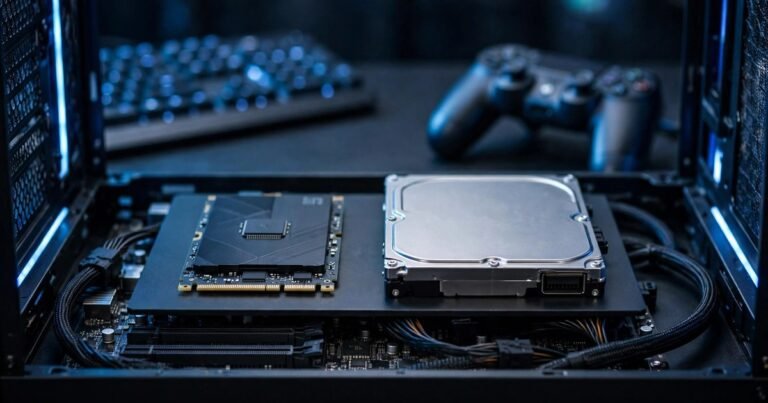
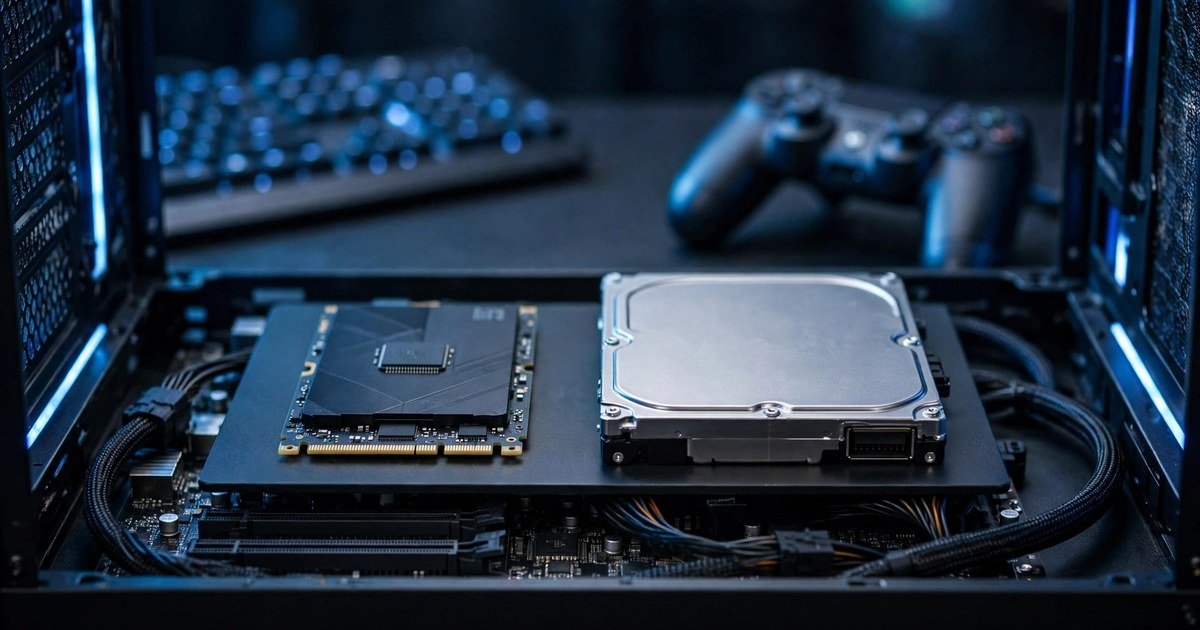
A hard disk drive, or HDD, stores data on spinning magnetic platters. A mechanical arm moves a read head across the platters to find each file, and that movement is the bottleneck. A solid state drive, or SSD, stores data in flash memory chips with no moving parts, so it can fetch many small files at once.
There are two kinds of SSD. A SATA SSD tops out at around 550 MB/s. An NVMe SSD plugs into an M.2 slot and uses PCIe lanes: a PCIe 3.0 drive reaches about 3,500 MB/s, and a PCIe 4.0 drive reaches about 7,000 MB/s. Both are far faster than a hard drive, which manages roughly 100 to 200 MB/s.
| Factor | Hard drive | SATA SSD | NVMe SSD |
|---|---|---|---|
| Read speed | 100 to 200 MB/s | Up to 550 MB/s | 3,500 to 7,000 MB/s |
| Game load time | 40 to 60 seconds | 8 to 12 seconds | 6 to 9 seconds |
| Effect on FPS | None | None | None |
| Stutter and pop-in | Common | Greatly reduced | Small extra gain |
The jump from a hard drive to a SATA SSD is the big one. The step from SATA to NVMe is much smaller, because load times are limited by how fast the processor can decompress game data, not just by raw drive speed.
Does an SSD increase FPS?
No. Your graphics card and processor produce frames, not your storage drive. If your frame rate is low, an SSD will not fix it. Check your graphics settings and make sure you have enough RAM for the games you play.
What an SSD does fix is smoothness. Modern open world games stream textures, models and audio from storage while you move. On a hard drive that streaming can lag, which shows up as stutter, delayed textures and sudden hitches. An SSD keeps up easily, so the game feels smoother even when the frame rate barely changes.
What DirectStorage changes, and what it does not
DirectStorage is the one area where the type of SSD starts to matter, and most SSD vs HDD guides skip it. It is a Microsoft API, part of DirectX 12, that lets the graphics card decompress game assets directly from an NVMe SSD, without routing that data through the processor first.
Three things are needed: an NVMe SSD, a DirectX 12 graphics card with Shader Model 6.0 or higher, and Windows 10 or Windows 11. A SATA SSD or a hard drive cannot use the fast path. A PCIe 3.0 NVMe drive works fine, and you do not need a PCIe 5.0 drive: tests show it loads Cyberpunk 2077 in about 34 seconds against about 35 seconds on a PCIe 4.0 drive.
The catch is adoption. As of late 2026 only a small list of titles uses DirectStorage, including Forspoken, Ratchet and Clank: Rift Apart, Senua’s Saga: Hellblade II, Alan Wake 2, Forza Motorsport, Indiana Jones and the Great Circle, Cyberpunk 2077 through patch 2.0, and Horizon Forbidden West. Today DirectStorage is a reason to buy NVMe rather than SATA, not the fastest NVMe on the shelf.
The games that now demand an SSD
More big releases now list an SSD as a minimum requirement, not a recommendation. Starfield requires an SSD with 125 GB of free space, and Bethesda tells players with performance problems to move the game off a hard drive. Cyberpunk 2077 lists an SSD as a minimum for Phantom Liberty, and Diablo 4 launched with an SSD in its minimum specification too.
Ratchet and Clank: Rift Apart shows why. Its PC version technically allows a hard drive, but Digital Foundry found it effectively unplayable on a 7,200 RPM drive, because the game was built around instant travel between worlds. Always check the system requirements before you buy, and use our guide on how to check if a game will run on your PC.
The honest part: games that still run fine on a hard drive
A hard drive is not dead, and plenty of games run perfectly well on one. Indie and 2D games such as Stardew Valley, Hades and Hollow Knight load small files and barely touch the drive. Older titles were designed for hard drives in the first place. Esports games such as Counter-Strike 2, Valorant and League of Legends load small maps and lean on the processor and graphics card, not storage.
The practical rule is simple. If a game streams a large open world, or its system requirements say SSD required, put it on the SSD. Everything else can live on the hard drive. The best setup is still a mix: a fast SSD for Windows and current games, and a big hard drive for the rest.
UK prices in November 2026
Storage prices have moved a lot in 2026. Prices checked on 18 November 2026 show a 1TB NVMe Gen4 drive from about 127 pounds, with the Kingston NV3 at 126.87 pounds, the Crucial P310 at 126.16 pounds and the Samsung 990 at 139.99 pounds. A 2TB NVMe drive starts from about 279 pounds, while a 2TB 7,200 RPM hard drive such as the Seagate BarraCuda costs about 130 pounds.
That changes the maths. A 2TB hard drive no longer costs a fraction of an SSD. It costs about the same as a 1TB NVMe drive. The hard drive only clearly wins on price per terabyte at 4TB and above. Prices move fast, so check the current price before you buy.
Which setup should you buy?
On a tight budget, buy a 1TB NVMe drive as your only drive, for about 130 pounds. It holds Windows and a handful of large games, and you can add a hard drive later.
The sweet spot is a 1TB NVMe drive for Windows and the games you play now, plus a 2TB hard drive for the rest, at a combined cost of about 260 pounds. Keep current games on the SSD and move finished ones to the hard drive. If your laptop has only one drive slot, buy the biggest NVMe drive you can afford.
On PlayStation 5, a hard drive cannot play PS5 games at all. Only an NVMe drive meeting Sony’s 5,500 MB/s requirement can expand PS5 storage.
How to move a game to an SSD
You do not need to reinstall anything. In Steam, open Settings, then Storage, and add your SSD as a library folder. Then right click the game, choose Properties, open Installed Files, and click Move Install Folder. Steam moves the game and keeps your saves.
Frequently asked questions
Does an SSD increase FPS in games?
No. An SSD does not raise your average frame rate. It cuts load times and reduces stutter in open world games, but the frame rate comes from your graphics card and processor.
Can you still play games on a hard drive in 2026?
Yes, for older, indie, 2D and most esports titles. No, for AAA games that list an SSD as a minimum, such as Starfield, Cyberpunk 2077 with Phantom Liberty and Diablo 4.
Do I need an NVMe SSD, or is a SATA SSD enough?
A SATA SSD is enough for most games today. The jump from a hard drive to any SSD is far bigger than the jump from SATA to NVMe. Buy NVMe if you play DirectStorage games.
How big an SSD do I need for gaming?
Buy at least 1TB. Windows takes around 30 GB, and modern AAA games often take 100 GB or more each, so a 500 GB drive fills up fast.
Is it worth keeping my old hard drive?
Yes, as a second drive. Use it for games you rarely play, for media, and for backups. Just do not use it as your Windows boot drive.
Conclusion
Buy an SSD for the games you actually play, and keep a hard drive for everything else. A 1TB NVMe drive costs about 130 pounds in the UK right now, and it is the single upgrade that makes a gaming PC feel new again.
About the Author