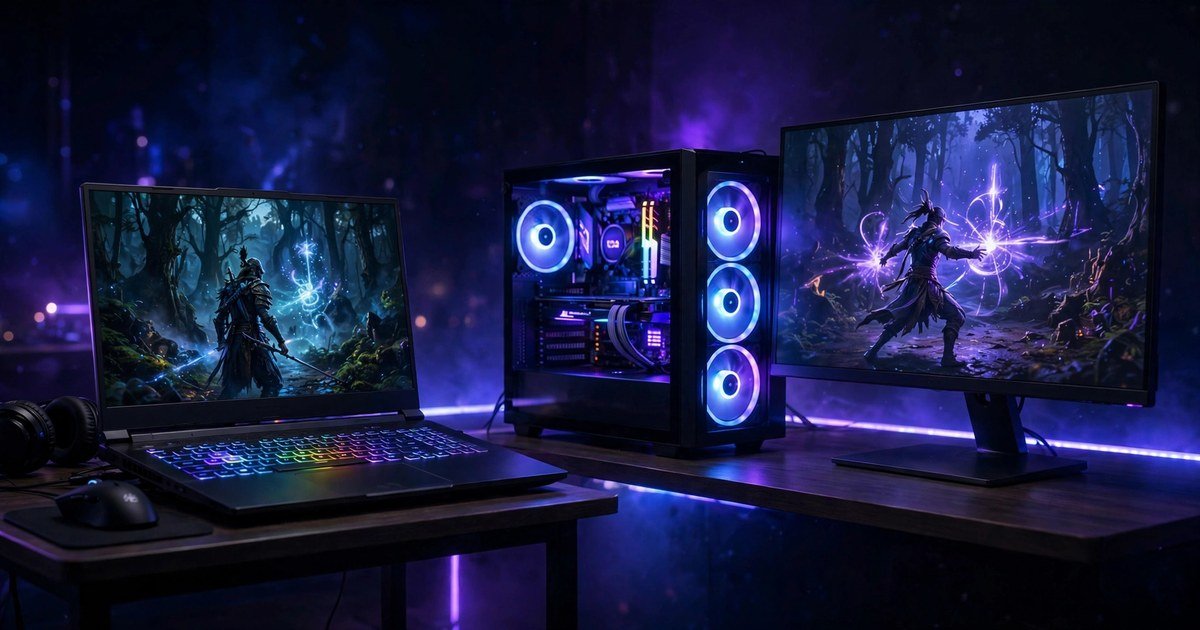
A gaming desktop gives you more frames per pound, lasts longer and upgrades piece by piece. A gaming laptop gives you the same games anywhere, with screen, keyboard and speakers built in. If your games stay at one desk, buy a desktop. If you game in more than one place, buy a laptop.
The short answer: where you play decides it
There is no universal winner. A desktop wins on raw power, value and lifespan. A laptop wins on portability and on needing nothing else. A student who games in a dorm and at a friend’s house needs a laptop. A player with a fixed desk gets far more from a desktop for the same money. Ask one question first: will this machine move? If not, the desktop is almost always the better buy.
Performance: the same GPU name does not mean the same speed
This is the trap most buyers fall into. A laptop RTX 5060 and a desktop RTX 5060 share a name, but they are not the same graphics card. The laptop chip runs at a much lower power limit, because a thin chassis cannot cool one. NVIDIA publishes a power range for each laptop GPU, and the maker picks a number inside it. Each laptop GPU has a power range: RTX 5060 at 45 to 100 watts, RTX 5070 at 50 to 100 watts, RTX 5070 Ti at 60 to 115 watts. The desktop 5070 Ti runs at 300 watts with 16GB of memory.
UK guides put the real world difference at roughly 15 to 30 percent fewer frames. The wattage matters as much as the name. Acer runs the same RTX 5060 at 75 watts in the Nitro V 15 and at 115 watts in the Predator Helios Neo 16 AI. Always check the TGP, or total graphics power, before you buy.
| Graphics card | Laptop power | Desktop power |
|---|---|---|
| RTX 5060 | 45 to 100 watts | 145 watts |
| RTX 5070 | 50 to 100 watts | 250 watts |
| RTX 5070 Ti | 60 to 115 watts, 12GB | 300 watts, 16GB |
None of this makes laptops slow. A modern RTX 5060 laptop plays current games smoothly at 1080p. Our guide to PC graphics settings explained shows which settings cost the most frames. Compare the exact systems and their wattages, never just the GPU name.
The £800 test: what your money buys in the UK
At £800, the comparison looks one sided until you count everything a desktop needs. A laptop at this price buys a complete machine. A desktop tower buys a box, and the screen, keyboard, mouse and headset still need paying for. UK budget guides put a capable RTX 5050 or RTX 5060 laptop at around £700 to £900 in late 2026, usually with 16GB of RAM, a 512GB SSD and a 144Hz Full HD screen.
| What you get | Laptop, £800 | Desktop, £800 |
|---|---|---|
| Graphics | RTX 5050 or 5060 laptop GPU | RTX 5060 desktop GPU |
| Memory and storage | 16GB RAM, 512GB SSD | 16GB RAM, 1TB SSD |
| Screen and extras | Included | Monitor, keyboard, mouse, headset: add £180 to £250 |
| True total | Around £800, ready to play | Around £980 to £1,050 with the kit |
If you already own a monitor, keyboard, mouse and headset, the desktop gives you more gaming power for your money. If you own none of those, the laptop is the cheaper way to start playing. A refurbished machine can stretch either budget further; our refurbished gaming laptop guide explains what to check first.
The £1,200 test: the gap narrows, then flips
At £1,200 the desktop starts to pull away. A laptop at this price buys a strong RTX 5060 at full wattage or an entry RTX 5070, with 16GB of RAM and a 1TB SSD. A desktop tower buys a full power RTX 5060 Ti or RTX 5070, a clear step up in raw speed, plus room for a 1440p monitor.
| What you get | Laptop, £1,200 | Desktop, £1,200 |
|---|---|---|
| Graphics | RTX 5060 at 100 to 115 watts, or RTX 5070 | RTX 5060 Ti or RTX 5070, full power |
| Memory and storage | 16GB RAM, 1TB SSD | 16GB RAM, 1TB SSD |
| Screen and extras | Included | 1440p monitor and peripherals: add £250 to £320 |
| True total | Around £1,200, ready to play | Around £1,450 to £1,520 with the kit |
At this budget the desktop is the better gaming machine, but only if you can spend the extra £250 to £320 on the kit, or you already own it. If £1,200 is a hard ceiling, the laptop still wins on completeness.
Portability, space and everyday life
A gaming laptop weighs around 2 to 2.5kg, plus a power brick of another 500g. It fits in a bag and works anywhere with a plug socket. Battery life while gaming is short, usually one to two hours. Treat it as a portable desktop, not a device you game on unplugged.
A desktop needs a desk, a chair and space for a tower, a monitor and cables. A 60cm deep desk is the minimum for a monitor, keyboard and comfortable arm position. If your room cannot fit that, the laptop wins regardless of performance.
Upgrades and lifespan: the desktop’s biggest advantage
A desktop can be upgraded piece by piece. In two or three years you can swap the graphics card, add RAM or fit a bigger SSD, and the machine stays current. A well built desktop can serve for five or six years with one graphics card upgrade. A laptop offers almost no upgrade path. You can usually add RAM or storage, but the graphics card is soldered in place, and it sets the machine’s expiry date. Most gaming laptops give three to five years of comfortable modern gaming.
That difference changes the true cost. A £1,200 laptop replaced after four years costs £300 a year. A £1,200 desktop that takes a £400 graphics card upgrade in year three and lasts six years costs about £267 a year. Check how much RAM you need for gaming before you choose a specification, because 16GB is the sensible minimum in 2026.
Which one should you buy?
Buy a gaming laptop if you game in more than one place, live in a small room or shared house, need one machine for gaming and work or study, or want everything included in a single price. Check the GPU wattage, not just the name, and pick 16GB of RAM, a 1TB SSD and a 144Hz screen or faster.
Buy a gaming desktop if your games stay at one desk, you want the most frames for your money, you plan to upgrade rather than replace, you play at 1440p or 4K, or you already own a monitor and peripherals. Budget for the full kit, not just the tower: the monitor is part of the price.
Frequently asked questions
Is a gaming laptop as good as a desktop with the same GPU?
No. A laptop GPU with the same name runs at a lower power limit and delivers roughly 15 to 30 percent fewer frames than its desktop version. The exact gap depends on the wattage the maker chose, so check the TGP in the specification sheet.
How much should I spend on a gaming laptop in the UK?
Around £700 to £900 buys a capable RTX 5050 or RTX 5060 laptop for smooth 1080p gaming. Around £1,200 buys a stronger RTX 5060 or RTX 5070 machine with a 1TB SSD.
Is a gaming desktop cheaper than a laptop?
The tower alone is cheaper for the same performance, but a desktop needs a monitor, keyboard, mouse and headset on top. Once you count the full kit, a laptop is often cheaper at £800, while a desktop pulls ahead at £1,200 and above.
Do gaming laptops overheat?
They run hotter than desktops, because small fans cool a powerful chip in a thin body. Expect fan noise under load and keep the vents clear of dust. A laptop that constantly runs hot will throttle its performance.
Conclusion
A gaming laptop and a gaming desktop are both good buys in 2026, but they suit different players. The laptop wins when your games travel, your space is small or your budget must cover everything in one purchase. The desktop wins when your games stay at one desk and you want more frames and an upgrade path. Decide where you play first, count the full desktop kit cost, and check the GPU wattage before you buy.
About the Author