Ray tracing is a lighting technique that copies how real light behaves. Instead of faking reflections and shadows with painted tricks, your graphics card traces the path of light rays as they bounce around a game world. The result is more natural light, truer reflections and softer shadows. It is the biggest visual upgrade in modern PC gaming, and also the most demanding setting.
How Ray Tracing Actually Works
Most games render images with rasterization: the card draws every triangle on screen, then guesses where the light should fall using shortcuts. Shadows are flat shapes and reflections are often a flipped copy of the scene. It is fast, but it is a trick.
Ray tracing works the other way round. For each pixel, the card fires a ray from the virtual camera into the scene. When a ray hits a surface, the card works out what colour that surface should be, based on the light and the material it hit. Then it fires more rays to check reflections, shadows and bounced light. The light is calculated, not painted on. Real time ray tracing arrived in 2018 with Nvidia’s RTX 20 series.
Ray Tracing vs Rasterization: What Changes on Screen
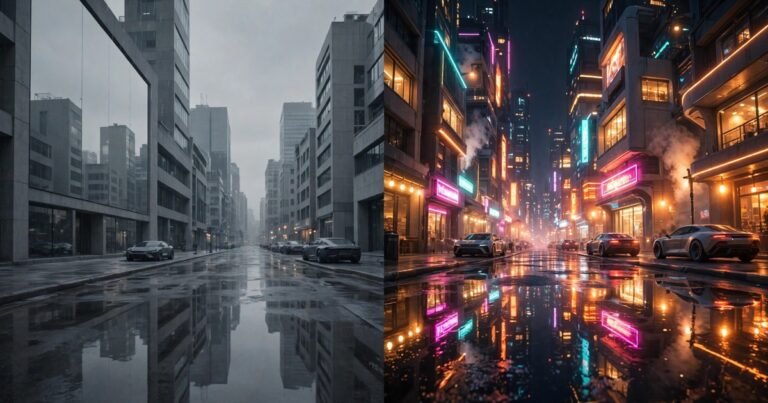
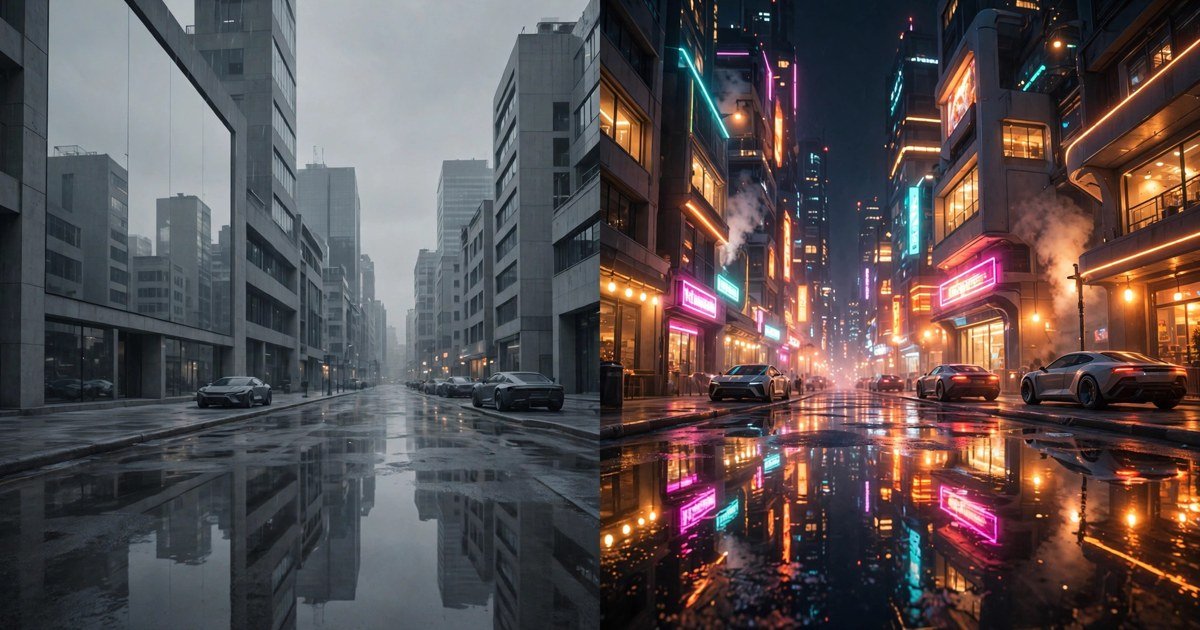
The difference shows in four places. First, reflections. A ray traced puddle shows the cars, signs and people in the scene. A rasterized reflection shows a rough copy that breaks as soon as something moves. Second, shadows. Ray traced shadows soften naturally as they stretch away from an object.
Third, global illumination: light bouncing off one surface and lighting up another, such as sunlight warming a dark room off a pale wall. Rasterization fakes this with baked lighting that never changes. Ray tracing calculates it live. Fourth, ambient occlusion, the soft darkening where two surfaces meet. None of this adds detail to the models. It only changes the light, and light is what makes a scene feel real.
The Four Ray Traced Effects, and What Each One Costs
Games split ray tracing into separate effects, each with its own frame rate cost, and the most expensive is often the hardest to notice.
| Effect | What it does | Frame rate cost | Noticeability |
|---|---|---|---|
| Reflections | True reflections on water, glass and metal | About 18 to 20 percent | High, in cities and rain |
| Shadows | Soft, distance accurate shadows | About 10 percent | Medium, clearest outdoors |
| Global illumination | Light bouncing between surfaces | About 30 to 33 percent | Medium, indoors and at night |
| Path tracing | Full light simulation | 60 percent or more | Very high |
These figures come from RTX 5080 testing at 1440p. Reflections give the best return for the frames you spend, while global illumination costs the most and is often the subtlest change, so turn on reflections first. TechSpot testing across 36 games found ray tracing cuts frame rates by around 30 percent on average. For the full picture of which settings cost the most frames, see our PC graphics settings explained guide.
Ray Tracing vs Path Tracing: What Is the Difference?
Path tracing is ray tracing taken to its limit. Standard ray tracing adds selected effects on top of a rasterized image, while the game still fakes some of the lighting. Path tracing replaces the whole lighting system. It traces many light paths per pixel, so every reflection, shadow and patch of bounced light comes from the same simulation.
The image is more consistent, but the cost is huge: path tracing can cut frame rates by 60 percent or more, even on a flagship card, and it is only playable with upscaling and frame generation switched on.
Only a small set of games offer full path tracing, including Cyberpunk 2077 (Overdrive), Alan Wake 2, Portal RTX, Black Myth: Wukong and Indiana Jones and the Great Circle. Treat it as a showcase mode for top tier hardware.
Should You Turn Ray Tracing On? A Card by Card Guide
| Your hardware | Verdict | Best setup |
|---|---|---|
| RTX 4060 or RX 7600 | Selective only | Reflections on, GI off, DLSS/FSR Quality |
| RTX 4070 or RX 7800 XT | Yes, 1080p or 1440p | Medium ray tracing, DLSS/FSR Quality |
| RTX 5070 or RX 9070 | Yes, at 1440p | High ray tracing, DLSS Balanced |
| RTX 5070 Ti or RX 9070 XT | Yes, light path tracing | High ray tracing, DLSS Quality, frame gen on |
| RTX 5080 or RTX 5090 | Yes, path tracing too | Ultra ray tracing, DLSS 4 multi frame gen |
| RTX 3060 and older | Usually no | Keep it off, enjoy the higher frame rate |
| PS5 or Xbox Series X | Use the game mode | Quality mode for ray tracing at 30 fps, Performance for 60 |
| PS5 Pro | Yes, more often | Pro modes can combine ray tracing with 60 fps |
One rule covers every row. If turning ray tracing on drops you below 60 frames per second, turn it off or lower the setting. Smooth motion beats prettier reflections every time.
Competitive games are a clear exception. In ranked shooters, turn ray tracing off whatever card you own. The reflections will not help you spot an enemy, and the frame rate loss will hurt your reaction time. Our guide to improving your aim in FPS games explains why.
Ray Tracing on Consoles: PS5, PS5 Pro and Xbox
Both current consoles have hardware ray tracing, but they use it more carefully than a PC. On a standard PS5 or Xbox Series X, most games make you choose: Quality mode turns ray tracing on and caps the frame rate at 30, while Performance mode turns it off and targets 60.
The PS5 Pro, launched in November 2024, changed that trade off. It has stronger ray tracing hardware, and Sony says it can cast rays at roughly double the speed of the standard PS5. It also has PSSR, an AI upscaler similar to DLSS. Together, the two let more than 100 Pro enhanced games combine ray tracing with 60 frames per second, and Cyberpunk 2077 even offers a path tracing mode.
How to Use Ray Tracing Without Losing Your Frame Rate
Ray tracing only works well on consumer hardware because of upscaling. DLSS, FSR and XeSS render the game at a lower internal resolution, then rebuild the image with AI, and that recovered performance pays for the ray tracing.
Start with DLSS or FSR on Quality mode, and drop to Balanced if you are still below your target. Only use Performance mode if you must, as it softens the image. On RTX 50 series cards, DLSS 4 adds multi frame generation, which creates up to three extra frames for every real one, and this is what makes path tracing playable at all. Our DLSS explained guide covers which version your card supports.
Frequently Asked Questions
Does ray tracing make a big difference in games?
Yes, in the right scenes: wet streets, mirrors, glass buildings and dark interiors look clearly better with ray tracing. In bright open fields or fast multiplayer matches, most players could not tell the difference.
Is ray tracing worth the frame rate loss?
On an RTX 4070 or better, with DLSS or FSR turned on, ray tracing in a single player game is usually worth it. On a weaker card, or in a competitive game, the frames matter more, so turn it off if you drop below 60 frames per second.
Do I need an RTX graphics card for ray tracing?
No. AMD RX 6000 series and newer cards, Intel Arc cards, the PS5 and both Xbox Series consoles all support hardware ray tracing too.
What is the difference between ray tracing and path tracing?
Ray tracing adds selected lighting effects on top of a normal rendered image. Path tracing replaces the whole lighting system and simulates the full path of light through the scene. It looks more consistent, but it costs far more performance.
Why do some new games require ray tracing?
Developers now build their lighting around ray tracing instead of adding it as an optional extra, so games like Doom: The Dark Ages and Indiana Jones and the Great Circle need a ray tracing capable graphics card to run at all.
Conclusion
Ray tracing is real light, calculated instead of faked, and in the right scene the difference is obvious. It is also the most expensive setting in any game, so be selective: turn on reflections, use DLSS or FSR to pay for them, keep your frame rate above 60, and leave global illumination and path tracing to the strongest cards.
About the Author