
A good gaming mat protects your desk and improves mouse tracking
“Gaming mat” actually covers three quite different products, and knowing which one you need before you buy saves both money and disappointment. This guide covers all three: mouse mats, full desk mats, and floor mats for chairs with casters.
The Three Types of Gaming Mat
Mouse Mats (Mousepads)
The most common meaning, and the one most established brands build their reputation on. A dedicated surface for your mouse, sized to sit under your mouse and keyboard, or just the mouse alone. These come in cloth (fabric-topped, rubber base, the category SteelSeries’ QcK line has dominated in esports for over a decade) or hard surface (plastic or glass, where the Logitech G440 is a well-known reference point for pure speed).
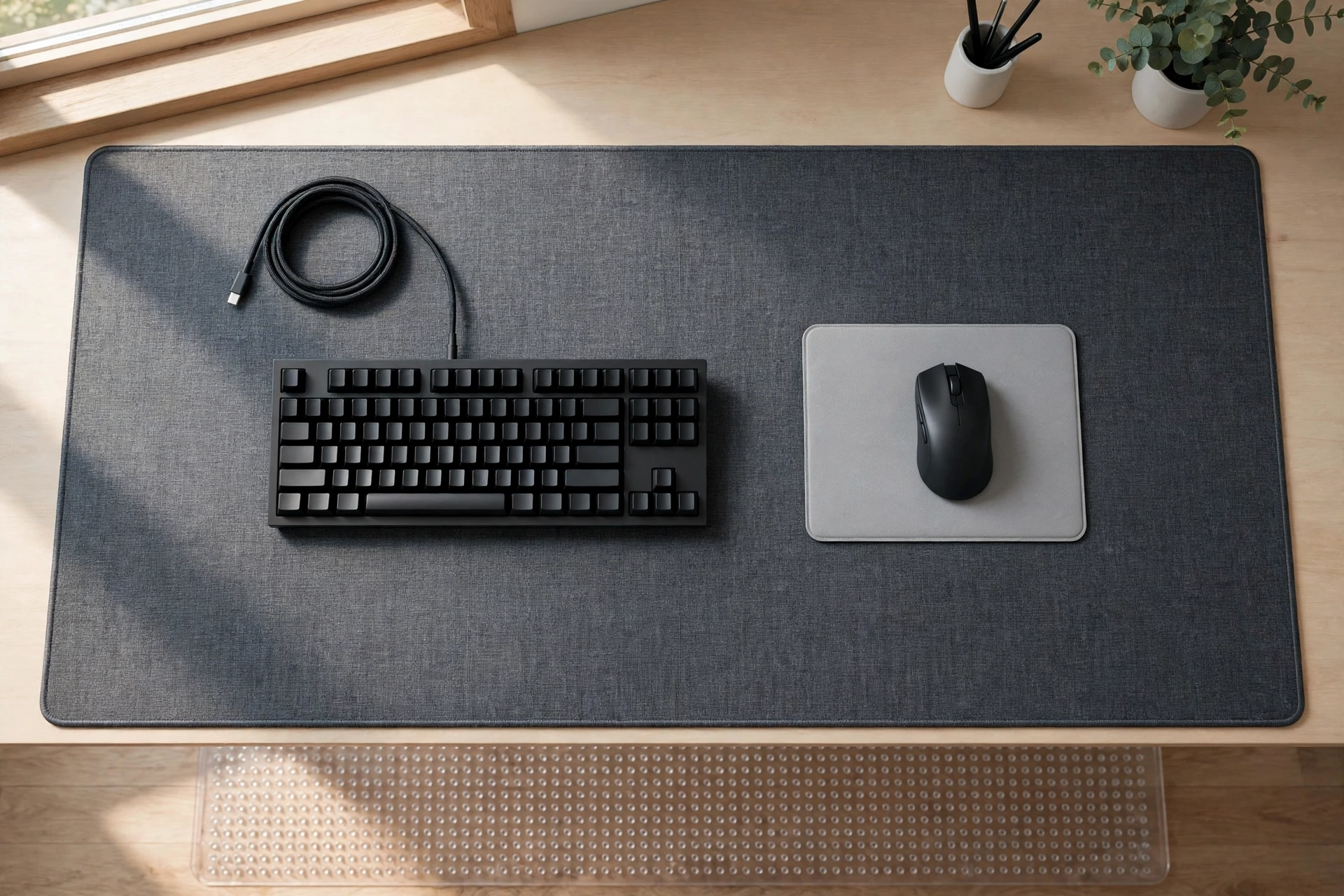
Desk Mats
An extended version of the mouse mat that covers most or all of your desk surface, protecting the desk from scratches, spills, and RGB light bleed while giving a uniform surface for both mouse and keyboard. These are typically cloth-topped and roll up for storage or travel.
Floor/Chair Mats
A hard, low-friction mat placed under a gaming chair’s casters, protecting carpet from wear and wheel marks, or protecting hardwood and laminate floors from scratches. Essential if your chair sits on anything other than a hard, scuff-resistant floor.
Cloth vs Hard Surface Mouse Mats
| Cloth Mat | Hard Surface Mat | |
|---|---|---|
| Mouse glide | Smooth, slightly higher friction | Fastest glide, very low friction |
| Precision | Better for slower, precise tracking | Better for fast flick movements |
| Durability | Wears and frays over time | Very durable, doesn’t fray |
| Best for | Most genres, general use | Competitive FPS, high-sensitivity play |
Sizing a Desk Mat
Desk mats follow a few fairly consistent industry size bands: small (around 240-300mm x 200-250mm) for high-sensitivity setups needing less mouse travel, medium (300-400mm x 250-350mm) for limited desk space, large (450-500mm x 350-450mm) for low-to-high DPI gaming with room to spare, and extra-large or “extended” mats (500-950mm x 290mm and up, like the Razer Gigantus V2 at 1220x610mm) that cover the entire desk including keyboard, mouse, and monitor stand. Measure your actual desk surface before buying rather than guessing, since an oversized mat will curl at the edges and a too-small one leaves an awkward strip of bare desk.
What to Look for in a Floor Mat
Floor mats for gaming chairs are usually rated by weight capacity and floor type. A PVC or polycarbonate mat with a smooth (not studded) underside works on carpet, while hardwood and laminate floors need a mat specifically rated for hard floors, since carpet-rated mats can scratch hard surfaces through grit trapped underneath. Look for a mat rated for at least 120kg if you’re a heavier user or the chair itself is substantial.
Do You Actually Need All Three?
Not necessarily. A mouse mat is worth having regardless of setup, since bare desk surfaces (especially wood or glass) genuinely hurt tracking precision. A desk mat is more of an aesthetic and desk-protection choice than a functional necessity. A floor mat is only essential if you’re on carpet or a floor type prone to scratching from chair casters, in which case it’s genuinely worth the investment to protect your flooring.
Once your desk surface is sorted, our gaming desk and chair guide covers the rest of the physical setup.
Frequently Asked Questions
Does a mouse mat actually improve gaming performance?
It improves tracking consistency rather than raw performance. A dedicated mat gives your mouse sensor a uniform surface to read, which reduces erratic cursor movement compared to tracking directly on a desk, particularly glass or glossy wood surfaces.
Can I use a desk mat with a mechanical keyboard?
Yes, and many people prefer it. A cloth desk mat softens the sound of keyboard feet on a hard desk slightly and gives a consistent surface for both keyboard and mouse.
What size floor mat do I need for a gaming chair?
A general rule is to allow enough space for the chair to roll and swivel without the casters leaving the mat, typically around 90x120cm for most desk setups, larger if you move around a lot while playing.
Speed vs Control: Picking a Surface for Your Game Genre
Not every game wants the same surface. A mat that feels perfect in a fast shooter can feel wrong in a strategy game. The difference comes down to friction. A low friction surface lets your mouse fly across the mat with almost no resistance. A high friction surface gives you more grip, so you can stop exactly where you mean to stop.
Competitive FPS players usually want control. Low sensitivity aiming means big arm movements, and you need to stop the crosshair on a tiny target. A cloth mat with a slightly textured weave gives you that stopping power. Most professional FPS players use a large cloth mat for exactly this reason. Speed matters less than precision when one missed flick costs the round.
Players who use high sensitivity, or who play MOBAs and real time strategy games, often prefer a faster surface. These games need quick movement across the whole screen, not millimetre perfect stops. A smooth cloth mat, or a hard plastic surface, suits them better. The mouse glides, the cursor follows, and your wrist does less work over a long session.
Hybrid surfaces try to give you both. They use a tighter weave or a coated cloth that sits between pure speed and pure control. They are a good choice if you play several genres and do not want to swap mats. They are not the fastest option in any one genre, but they are the most flexible. Most casual players will be happy with one.
Glass pads are the newest option. They offer the fastest glide of all, and they never wear out or fray. They also have real trade offs. They are heavy, they are expensive, and they wear down mouse feet faster than cloth. They can also be noisy. They suit players who already know they want maximum speed and are willing to replace mouse feet more often. They are not a good first mat.
The simplest test is your own aim. Play your main game for a week on a cloth mat. Then try a harder surface if you can borrow one. Pay attention to two things. Do you overshoot your targets, or do you stop short? Overshooting means you need more control. Stopping short means you need more speed. Your hand will tell you faster than any review will.
Cleaning and Looking After Your Gaming Mat
A gaming mat collects skin oil, dust, crumbs and drink spills. All of it changes how your mouse glides. A dirty cloth mat feels slow and sticky. A dirty hard mat feels rough and uneven. Regular cleaning keeps the glide consistent and makes the mat last longer.
Cloth mats are easy to wash. Fill a sink or bath with lukewarm water and a small amount of mild soap or washing up liquid. Lay the mat flat and scrub it gently with a soft brush or a sponge. Work in circles, not hard strokes, so you do not damage the weave. Rinse it well. Then hang it up to dry, or lay it flat. Never put a cloth mat in a washing machine. The spin cycle can warp the rubber base and peel the edges.
Hard surface mats need less work. Wipe them with a damp microfibre cloth and a little soapy water. Dry them straight away. Do not use harsh cleaners or scouring pads. They can scratch the surface and change how the mouse tracks. Glass pads are the easiest of all. A quick wipe with glass cleaner is enough.
Frayed edges are the first sign a cloth mat is wearing out. Stitched edges last far longer than unstitched ones, so check the stitching before you buy. Once the edge starts to lift, the mat will curl and catch your wrist. A small amount of fraying is cosmetic. Lifting edges are not. Replace the mat when the surface feels uneven or the edges will not lie flat.
RGB mats need a little extra care. Never soak one. Wipe the surface with a damp cloth only, and keep water away from the USB cable and the light strip. Unplug it before cleaning. If the lights stop working after a spill, dry it fully for 24 hours before you plug it back in.
Do I need a glass mouse pad for competitive FPS?
No. Most professional players still use cloth mats. Glass gives you maximum speed, but it also wears mouse feet faster and costs far more. A good cloth mat with the right friction for your sensitivity is the safer choice. Try glass only if you already play at a high level and you know you want more speed.
How often should I replace a cloth gaming mat?
A good cloth mat lasts one to two years of daily use. Replace it when the surface feels uneven, the glide changes across the mat, or the edges lift and will not lie flat. Washing it regularly can stretch its life by months. If your aim suddenly feels inconsistent, check the mat before you blame your mouse.
Final Thoughts
“Gaming mat” can mean three genuinely different products, so work out which problem you’re actually solving, mouse tracking, desk protection, or floor protection, before you buy. Most setups benefit from at least a proper mouse mat; the other two are situational depending on your desk material and flooring.
Written by SZ Games
SZ Games is dedicated to honest, well-researched gaming content: browser game guides, hardware buying advice, retro console compatibility, and esports resources. We check claims against real specs and sources rather than recycling generic listicles, and we stay on the legitimate side of gaming advice, not filter-bypass tricks.
About the Author