
Izowave blends base-building with tower defense in an open isometric world
Izowave — Build and Defend combines two genres that work surprisingly well together: base-building strategy and wave-based tower defense. If you’ve enjoyed our other single-game guides, Izowave earns its spot for the same reason Drift Hunters does: it’s genuinely well designed, runs smoothly in any browser, and doesn’t need a single download.
What Is Izowave?
Izowave is an open-world, isometric strategy game developed by Nikita Galadiy. You’re dropped into a hostile world with a lone character and an assistant, and your job is to construct a base capable of surviving increasingly aggressive waves of enemies. Unlike a typical linear tower defense game, Izowave gives you an open map to explore, gather resources from, and gradually fortify.
Core Gameplay Mechanics
Building and Resources
You construct several structure types: towers for offense, walls for defense, generators to produce resources, ammunition stations to keep your towers firing, and boosters to increase tower efficiency. Placement matters. Towers positioned with overlapping fields of fire cover each other’s weak points, while walls funnel enemies into your kill zones rather than letting them approach from every direction.
Waves and Difficulty
Each wave increases both the number and strength of attacking enemies. Early waves are forgiving enough to experiment with layouts, but the difficulty curve rewards players who upgrade towers and generators proactively rather than waiting until defenses are already under pressure.
Character and Assistant Progression
Both your character and your AI assistant gain upgradeable stats over time. Exploring the map for gems funds these upgrades, which creates a natural loop: explore to fund upgrades, upgrade to survive tougher waves, survive to unlock more of the map to explore.
Controls
| Action | Key |
|---|---|
| Move | WASD |
| Build / interact | Left click |
| Cancel current building | Right click |
| Upgrade active building | U |
| Reload active tower | R |
| Destroy active building | Backspace |
| Skip remaining wave time | N |
Tips for Surviving Longer
Prioritise generators early even though they don’t attack directly, since a resource shortfall mid-wave is one of the most common causes of a base collapsing. Build walls in choke points rather than scattering them randomly, so enemies are forced into a predictable path your towers can cover. Upgrade towers that face the busiest approach routes first rather than spreading upgrade points evenly across every structure.
Is Izowave Free and Safe to Play?
Izowave runs entirely in the browser with no download or installation required, and it’s hosted on established platforms like Poki and CrazyGames alongside various smaller game portals. As with any browser game, stick to well-known hosting platforms rather than obscure mirror sites, and treat any site asking for downloads or unusual permissions as a red flag regardless of how good the game itself looks.
Frequently Asked Questions
Is Izowave a multiplayer game?
No, Izowave is a single-player experience. You control one character and an AI assistant against waves of enemies.
Can I save my progress in Izowave?
Yes, the game allows you to save progress at any point, so a session doesn’t need to be completed in one sitting.
Does Izowave work on a Chromebook?
Yes, as an HTML5 browser game it runs on Chromebooks and other low-spec devices without any special setup.
A Worked Early-Game Build Order
The first five waves decide most Izowave runs. A clear build order removes the guesswork, so here is a step by step plan that works on the early maps.
Start by building a generator before anything else. It feels wrong to spend your first resources on something that cannot shoot, but a generator pays for itself within a couple of waves. Without one, you will run out of resources by wave three and watch your base fall apart while you cannot afford a single tower. Place the generator near the centre of your base, where it is hardest for enemies to reach.
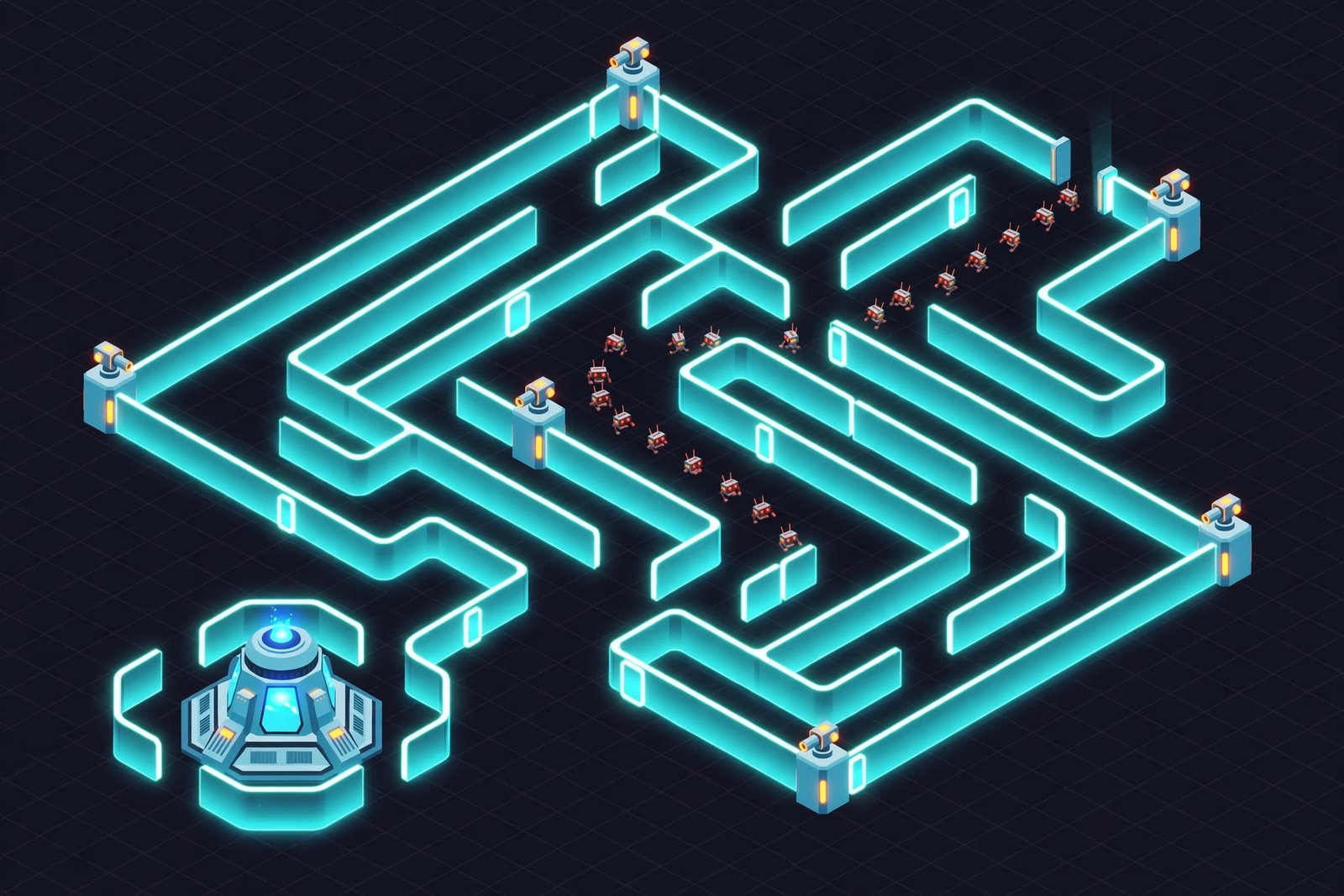
Next, build your first wall line in an S shape between the enemy spawn and your base. Do not build a straight wall. A straight wall is a short path, and a short path means your towers get very little time to fire. An S shaped corridor forces enemies to walk a long winding route, and every extra second on that route is extra damage from your towers. Leave one open path at all times, because the game will not let you block the route completely.
Now place your first tower at the inside of a U-turn in the maze. This is the most valuable spot on the map. A tower at a U-turn shoots enemies as they approach and again as they walk away, so it fires for twice as long as a tower on a straight section. Build one tower here and upgrade it once before you build a second tower anywhere else. One strong tower beats two weak ones in the early game.
By wave four, add a second generator if your income feels tight, then place a second tower at the next U-turn. From wave five onward, the pattern is simple: upgrade the towers that face the busiest approach routes first, and only add new towers once your existing ones are upgraded.
Mistakes That End a Run Early
Most failed Izowave runs end for the same reasons. The first is building towers before generators. Towers feel useful and generators feel boring, so new players build towers first and run out of money by wave three. A generator first is always the right call.
The second mistake is spreading upgrades evenly. Upgrading every tower a little is worse than upgrading one tower a lot. Enemies get tougher in waves, and a tower that is slightly better than average cannot kill them. A fully upgraded tower can. Pick the tower that covers the busiest route and max it out before you touch the others.
The third mistake is scattering walls randomly instead of building a maze. Walls placed without a plan create short, direct paths that let enemies reach your base in seconds. Walls placed as a maze create long paths that give your towers time to work. Every wall should make the enemy path longer, or it should not be built.
The fourth mistake is ignoring flying enemies. Some waves include flying units that pass straight over walls and ground towers. If you have no answer for them, a wave that looks easy on the ground can end your run from the air. Keep at least one tower that can hit flying targets, and check the wave preview before each round starts.
What is the best tower layout in Izowave?
The best layout is a long S shaped maze with towers placed at the inside of each U-turn. Towers at U-turns fire at enemies twice, once on the way in and once on the way out. Place your strongest tower at the U-turn nearest the spawn, because it gets the first shots at every wave. Keep generators and boosters in the centre of the base, protected behind the maze.
How do gems work in Izowave?
Gems are found by exploring the map beyond your base. They fund upgrades for your character and your assistant, which improve stats such as damage, health and movement speed. Exploring is a trade off, because your character leaves the base while enemies approach. Explore between waves, not during them, and spend gems on upgrades as soon as you can afford a useful one.
Final Thoughts
Izowave stands out in a crowded field of browser strategy games because of how well its building and combat loops reinforce each other. If you enjoy games that reward planning as much as reflexes, it’s well worth the fifteen minutes it takes to learn the basics.
About the Author